Category: Development

New artwork coming in 5.4 & the tale of a troublesome wallpaper

For the past month I’ve been slightly more active than usual, and I’m excited for this release and some of the art I’ve managed to throw into the pipe;

Icons, Icons!

I would like to make a special mention that not all of these icons have been greenlit, and several of them are pending approval and may be dropped/require changes. Some were literally finished minutes ago while others have already been integrated into projects. \o/

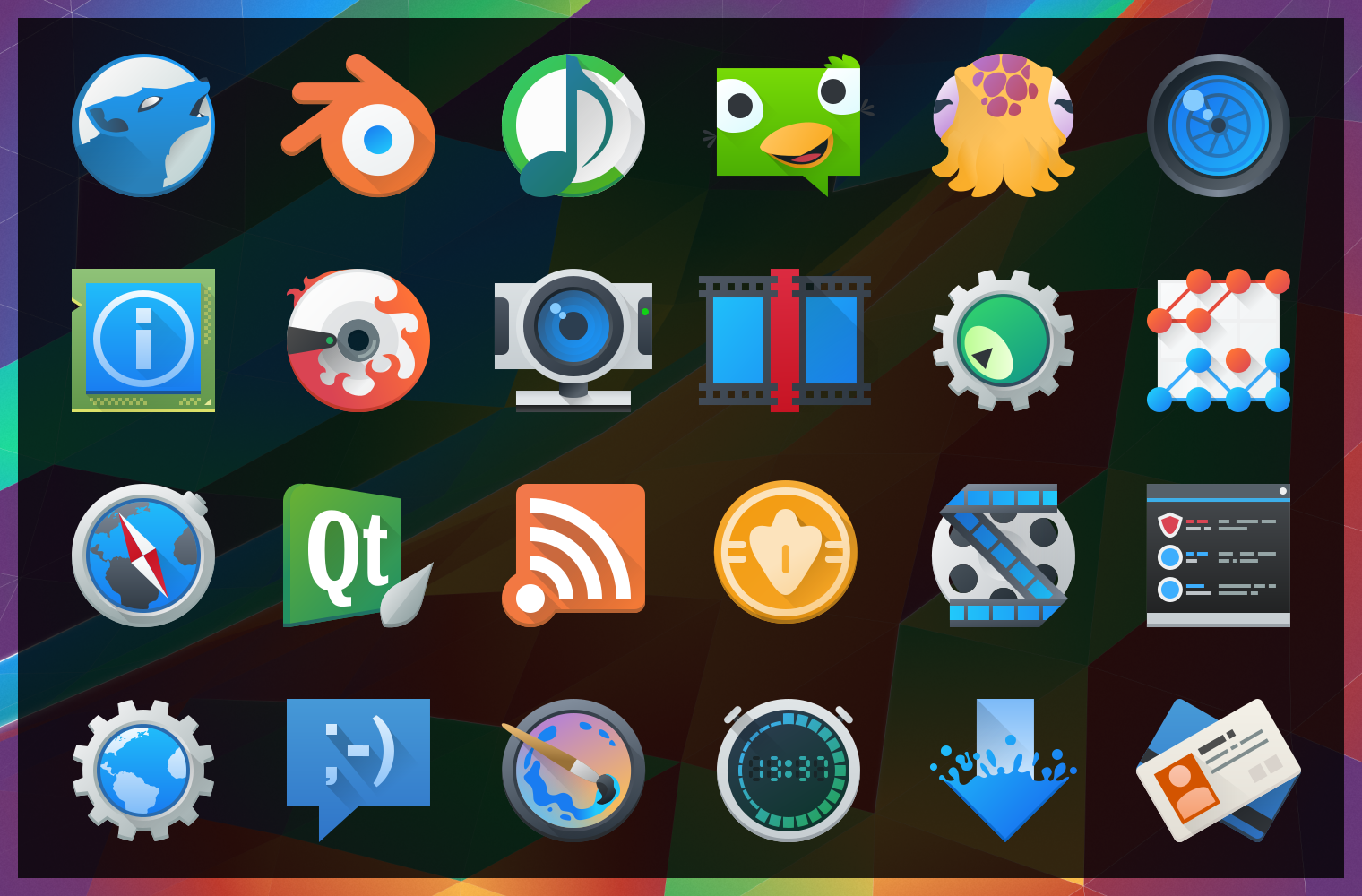
image10430After “harmlessly” throwing in a couple monochrome icons from my personal projects, I found myself reading a few of the icon requests and one thing lead to another… Now I’ve pushed in somewhere around 25 new icons, mostly towards apps with the goal of filling in gaps of common applications. These new icons will hopefully bring a much more cohesive launcher menu, with more core and popular applications having Breezy icons.

Some of these may be shunted to an extended repo; 3rd parties get antsy when they see their logos get “breezified”, so “branded” icons need to occasionally be separated from the main repository to avoid troubles and takedown requests.

Lastly but not least; Uri and Andreas have been nothing short of awesome in helping me get these out, thanks guys!

The tale of an annoying, terrible, awful wallpaper, and How I Made it.

I’d like to say that I’m less a man and more a force of nature – one able to sweep my hand and make art bloom at will… But this would be a lie, and occasionally getting art out there makes the only force I can muster feel like a fart in the wind. The new wallpaper for 5.4 just did not want to be made, and took days on and off trying to figure out what to do. I nearly just suggested we ship a backup wallpaper I had on the sidelines.

Eventually ideas got figured out, and after an unstructured failure (again, making me look at “the backup”) I started taking screenshots while using a more structured approach. I imagine I wanted all reading this to feel my pain. Either that or laugh. One of the two. Either way, the new wallpaper was one of the more involved processes used for a Plasma 5 wallpaper, and here are the steps for how it came together;

(more…)

Fiber UI Experiments – Conclusion?

It’s been one heckuva road, but I think the dust is starting to settle on the UI design for Fiber, a new web browser which I’m developing for KDE. After some back-and fourth from previous revisions, there are some exciting new ideas in this iteration! Please note that this post is about design experiments – the development status of the browser is still very low-level and won’t reach the UI stage for some time. These experiments are being done now so I can better understand the structure of the browser as I program around a heavily extension-based UI, so when I do solidify the APIs it we have a rock-solid foundation.

Just as an aside before I get started; just about any time I mention “QML”, there is the possible chance that whatever is being driven could also alternatively use HTML. I’m looking into this, but make no guarantees.

As a recap to previous experiments, one of the biggest things that became very clear from feedback was that the address bar isn’t going away and I’m not going to hide it. I was a sad panda, but there are important things the address bar provides which I just couldn’t work around. Luckily, I found some ways to improve upon the existing address bar ideology via aggressive use of extensions, and slightly different usage compared to how contemporary browsers embed extensions into the input field – so lets take a look at the current designs;

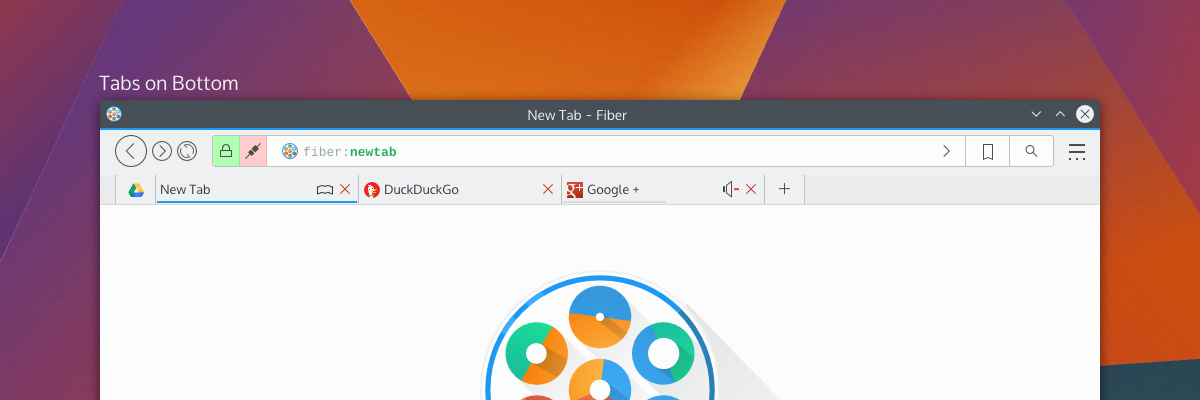
tabsOnSide tabsOnBottom
By default, Fiber will have either “Tabs on Side” or “Tabs on Bottom”; this hasn’t been decided yet, but there will also have a “Tabs on Top” option (which I have decided will not be default for a few reasons). Gone is the search box as it was in previous attempts – replaced with a proper address bar which I’m calling “Multitool” – and here’s more about it why I’m a little excited;

Multitool

Fiber is going to be an extensions-based browser. Almost everything will be an extension, from basic navigational elements (back, forward), to the bookmarks system – and all will either disable-able or replaceable. This means every button, every option, every utility will be configurable. I’ve studied how other browsers embed extensions in the address bar, and none of them really integrate with it in a meaningful and clearly defined way. Multitool is instead getting a well-defined interface for extensions which make use of the bar;

Extensions which have searchable or traversable content will be candidates for extending into the Multitool, which includes URL entry, search, history, bookmarks, downloads, and other things. Since these are extensions with a well-defined API you will be able to ruthlessly configure what you want or don’t want to show up, and only the URL entry will be set in stone. Multitool extensions will have 3 modes which you can pick from: background, button, and separate.

Background extensions will simply provide additional results when typing into the address bar. By default, this will be the behaviours of things like current tabs, history, and shortcut-enabled search. Button extensions in mutitool will provide a clickable option which will take over the Multitool when clicked, offering a focused text input and an optional QML-based “home popout”. Lastly, “separateextensions will split the text input offering something similar to a separate text widget – only integrated into the address bar.

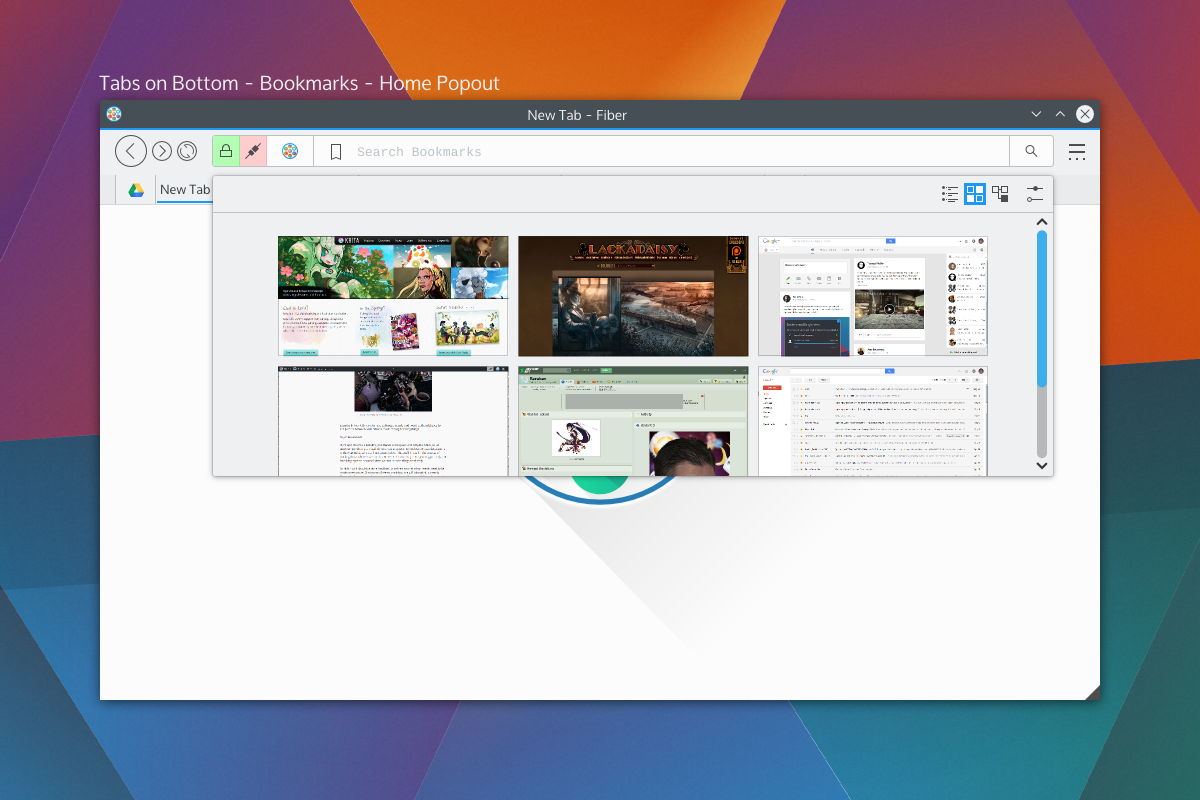
The modes and buttons will be easily configurable, and so you can choose to have extensions simply be active in the background, or you could turn on the buttons, or disable them entirely. Think of this as applying KRunner logic to a browser address bar, only with the additional ability to perform “focused searches”.bookmarkshome

Shown on the right side of the Multitool are the two extensions with dedicated buttons; bookmarks and search, which will be the default rollout. When you click on those embedded buttons they will take over the address bar and you may begin your search. These tools will also be able to specify an optional QML file for their “home” popout. For example the Bookmarks home popout could be a speed-dial UI, History could be a time-machine-esque scrollthrough. Seen above is a speed dial popout. With Bookmarks and Search being in button mode by default, just about everything else that performs local searches will be in “background mode”, except keyword-based searches which will be enabled – but will require configuration. Generally, the address portion of Multitool will NOT out-of-box beam what you type to a 3rd party, but the search extension will. I have not selected search providers.

We also get a two-for-one deal for fast filtering, since the user is already aware they have clicked on a text entry. Once you pick a selection from a focused search or cancel, the bar will snap back into address mode. If you hit “enter” while doing a focused search, it will simply open a tab with the results of that search.

Aside from buttons, all the protocol and security information relevant to the page (the highlighted areas on the left) will also be extension-driven. Ideally, this will let you highly customise what warnings you get, and will also let extensions tie any content-altering behaviour into proper warnings. For example, the ad-blocker may broadcast the number of zapped ads. When clicked the extensions will us QML-driven popouts.

Finally, the address itself (and any focused extension searches) will have extension-driven syntax highlighting. Right now I’m thinking of using a monospace font so we can drive things like bold fonts without offsetting text.

Tabs

Tab placement was a big deal to people; some loved the single-row approach, others wanted a more traditional layout. The solution to the commotion was the fact that there isn’t a single solution. Tabs will have previews and simple information (as seen in the previous round of designs), so by default tabs will be on the bottom or side so the previews don’t obstruct unnecessary amounts of UI.

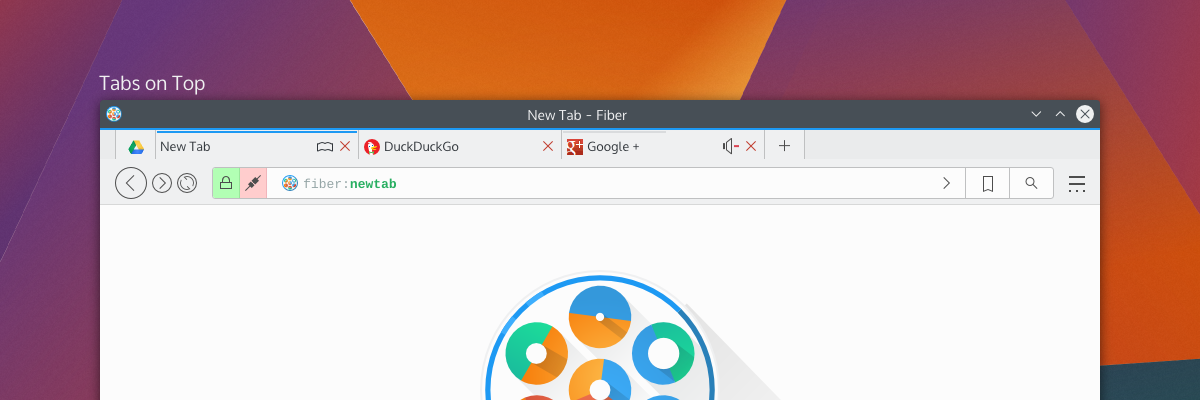
tabsontop

Fiber will have 3 tabbing options; Tabs on top, tabs on bottom, and tabs on side. When tabs are “on side” it will reduce the UI to one toolbar and place the tabs on the same row as the Multitool, and should also trigger a “compressed” layout for Multitool as well.

There will be the usual “app tab” support of pinning tabs, but not shown here will be tab-extensions. Tab extensions will behave like either app tabs or traditional tabs, and will be QML-powered pages from extensions. These special tabs will also be home-screen or new-tab options, and that is, largely, their purpose; but clever developers may find a use in having extension-based pages.

Tabs can also embed simple toggle-buttons, as usual, powered by extensions. Main candidates for these will be mute buttons or reader-mode buttons. There won’t be much to these buttons, but they will be content-sensitive and extensions will be required to provide the logic for when these buttons should be shown. For example, “reader mode” won’t be shown on pages without articles, and “mute” won’t be shown on pages without sound.

Current Progress

The current focus in Fiber is Profiles, Manifest files, and startup. Profiles will be the same as Firefox profiles, where you can have separate profiles with separate configurations. When in an activities-enabled environment, Fiber Profiles will attempt to keep in sync with the current activity – otherwise they will fall back to having users open a profile tool.

The manifest files are a big deal, since they define how extensions will interact with the browser. Fiber manifest files were origionally based on a slimmed down Chrome manifest with more “Qt-ish” syntax (like CamelCase); but with the more extensive extension plans and placement options there’s more going on with interaction points. There’s a decent manifest class, and it provides a reliable interface to read from, including things like providing missing defaults and offering some debugging info which will be used in Fibers extension development tools.I’m using DBus for Fiber to check a few things on startup; Fiber will be a “kind of” single-instance application, but individual profiles will be separate processes. DBus is being used to speak with running instances to figure out what it should do. The idea behind this setup is to keep instances on separate activities from spiking eachother, but to still allow the easier communication between windows of a single instance – this should help things like tab dragging between windows immensely. It also gives the benefit that you could run “unstable” extensions in a separate instance, which will be good for development purposes.I wish I could say development is going quickly, but right now my time is a bit crunched; either way things are going smoothly, and I’d rather be slow and steady than fast and sloppy.Development builds will be released in the future (still a long ways away) which I’ll be calling “Copper” builds. Copper builds will mostly be a rough and dirty way for me to test UI, and will not be stable or robust browsers. Mostly, it’ll be for the purpose of identifying annoying UI patterns and nipping them before they get written into extensions.

Fiber is DEAD! Long live Fiber!

So, over on G+ I had it pointed out to me that my multi-process work was… Pointless. It really kinda killed Fiber as it was. Apparently WebEngine covered the bases I was running at. While it was super-sad to see my work circle down the toilet bowl (along with my ‘hacker cred’!) it was also a bit of a relief; not only do I get it for free, but it would have been done better and more robustly than I could have.

The main thing it changed was the fact that anything I would do from that point forward could either be pulled or applied to existing browsers, raising the question; should I fork, contribute, or still start from scratch? I knew I had 3 goals;

  • Deep KDE technology integration.
  • Present a polished, stable, modern experience.
  • Be simple by default, powerful when needed.

And a few ‘key’ features;

  • Be Multi-process CLEAR!
  • Extensions over hardcoded features
  • Custom per-tab profiles

I looked to see what was around, and there are 4 browsers which I could work with;

Qupzilla

Qupzilla isn’t KDE-specific, and I their thing is cross-platform. I very specifically want to target a KDE-oriented browser. Additionally it’s still on Qt4, I want a Frameworks 5 oriented browser. Apparently they’re on Qt5!

Even with the Qt5 version, I’d still be taking an uncomfortable number of liberties with their goals. Also, the plan seems to be a QML-based browser – Qupzilla is out.

Rekonq

Rekonq is currently ~the~ KDE browser, it has the fullest KDE integration, and is established.

The major downside is the fact that Rekonq is an inactive project; it has been stagnant for over a year. Additionally, despite being a browser based on KDE tech, Firefox has supplanted it as the default browser on even the most vanilla distributions.

I’ve been looking at the code and there are some worrying mistakes; I won’t pick it apart, but I spotted a few things that concerned me. Additionally, like QupZilla, it’s still on Qt4 and needs to be ported to Frameworks 5.

Generally, I feel Rekonq has a large amount of baggage; it needs to be ported to Qt5, it has some outstanding issues, and it seems the developers have lost interest… Rekonq is out.

QT Demo Browser

QT Demo Browser is what Rekonq was based off long ago. Since it’s just a demo, basing off it would be a new project; but it is Qt5, and the most ‘vanilla’ of the bunch.

Qt Demo is, well, a demonstration. It has valuable up-to-date code, and is somewhat no-frills. But, because it’s just a demo it also lacks many subtle features that make modern browsing pleasant. It’s also built like a traditional application, so it has a structure that looks more like IE6 than a modern browser.

Qt Nano Browser

Qt Nano Browser is a QML-based browser. It has the absolute fewest features, and is no-nonsense in its quest to simply present a QML-based tabbed browser.

The downside is, the thing really is a skeleton, and there’s a huge amount of basic functionality missing. Compared to the other browser, the question is whether or not I want to strip something down, or build something up.

The Plan

The plan is to start a new browser from scratch (or, re-start), as I was going to previously. I’m currently in a debate between traditional widgets or a QML driven UI.

I should go QtQuick, as it has some clear advantages and is another differentiating factor vs contemporary widget-based browsers. If I do so, I’ll instead base of QtNanoBrowser or at least refer to the nano browser. About the only reason I’m debating QML is because we had an agreement to disagree, but I should really just accept it and drink the juice.

So, as it was (my little multi-process experiment) is dead! But the time and effort that will be saved will go into creating something richer, different, and modern.

An Update… With Fiber!

Updates! Where I reveal things that are obvious, some which are lesser-known, and hopefully one that takes somebody by surprise… But before I need to answer why I’m not posting this on PlanetKDE, it’s because it’s non-news IMHO, or at least, I don’t think it needs to be news. 😛

At the moment, I have 4 KDE-related projects on the go.

The first is my mockup assembly line and/or blog posts. I haven’t had any requests for mockups, and this is a blog post. CLEAR.

I (think) the next version of Plasma will have a new wallpaper by another VDG member, but I’ll double-check how that’s going. We still have the sunset wallpaper in the wings, and I can make a new wallpaper if I need to pick up any slack.

Right now the Chroma Window Decoration is on hold for a few reasons. Mainly I’m lazy, and I don’t have a good setup to test without messing up my build setup. For the time being I’m pretty happy with the current Breeze windeco, and all I’m bringing to the party is some slightly fancy buttons. That being said, I’m still excited to bring it, but it’s moved down a few pegs in the importance scale over the past few weeks.

If someone wants to take over the current todo (KCM integration) and make the decoration functional for the wider world, I can totally update the repo with my latest butcherings.

Next is the KDE.org websites. about which I’ve been quiet, very quiet. For those not in the loop (pretty much everyone outside of a few devs and the VDG) I’m cooking up what will hopefully be a successor to the current KDE.org sites.

Progress has been slow though. Mostly because I’m a web developer by day and it would destroy my brain if I developed websites around the clock. For the most part, KDE.org related stuff has been limited to Sunday projects because of this. Within the next week I’ll be finished with web development at my work and switching into IT mode for a bit, so I should have the drive to produce a demonstration site “soon”.

There is a (hidden) KDE forum with exactly 1 post in it, and soon I’ll request it be opened up, hopefully around the same time I get the demo site together. It will be for the effort of modernising the KDE websites.

Which brings me to my fourth project;

Fiber Browser

Not sure how comfortable I am coming out with this project as early as it is – so my dear lovelies – please keep this on the “down low” (as your “peeps” might say).

Lately I haven’t been 100% happy with browsers for Linux, and I decided to start a new KDE Frameworks 5 based browser from the ground-up; I’ve taken to calling it Fiber. It’s been in planning for some time now, and I’ve landed enough code to build my confidence in the feasibility of this as a thing.

Between the KDE website refresh and Fiber, these two projects will likely account for the majority of my mid-term KDE-related contributions.

What is it?

fiber

Fiber Icon

Fiber is a Qt5-based browser using the new Qt WebEngine based on Blink. Currently, Fiber is only prototype-quality code, an icon/logo, and a slew of specifications I’ve been planning for a while now.

Like Google Chrome and Chromium, Fiber is a multi-process browser. Specifically, Fiber manages multiprocess browsing by using QProcess, QWidget based window containers, and DBus.

From a main window, Fiber will launch “WebEngineWindow” processes via QProcess. After a short handshake between QProcess and the WebEngineWindow for the purpose of initial embedding, Fiber switches to DBus as its IPC to talk between the processes.

Fiber should be display-server agnostic and fully capable of running on Wayland; it does not use Q11XEmbedContainer. Fiber should be portable between platforms, though for Windows I believe extra work is required for DBus. That being said, my development/testing will be limited to my current distro, and I’m probably going to be too lazy to package it most of the time.
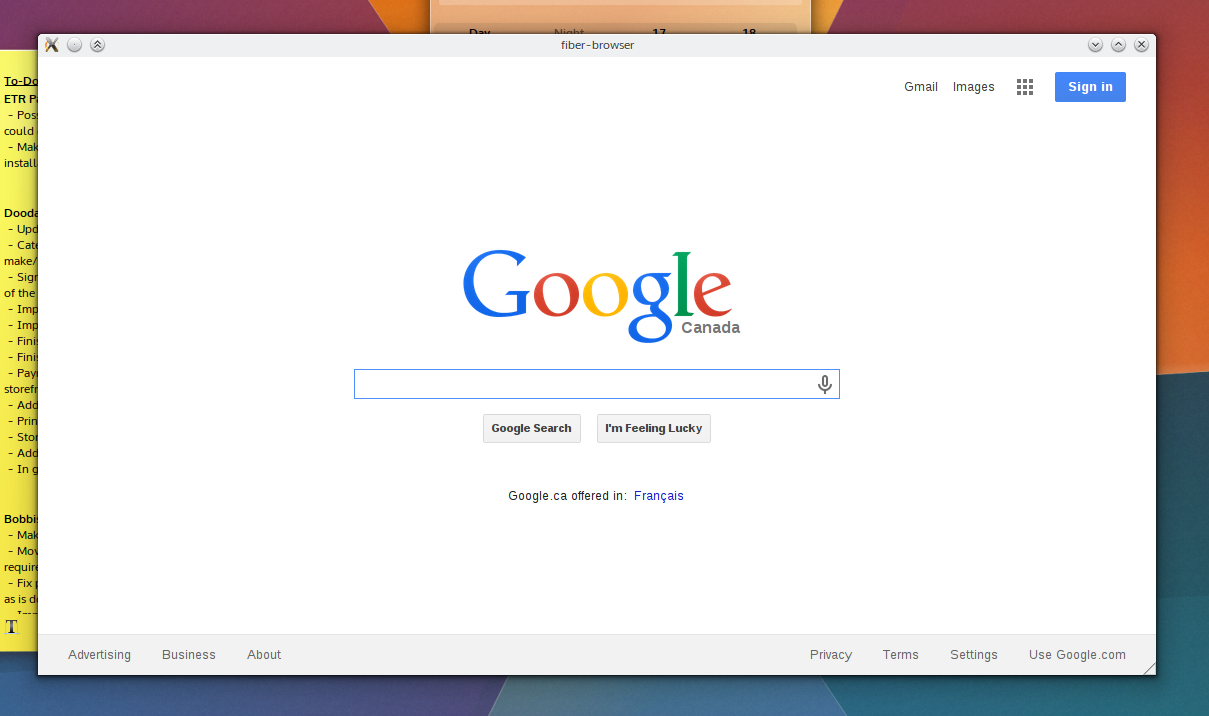
In may day browsers had interfaces! We had Mosiac! I don't get this "miminalism" jive!

In may day browsers had interfaces! We had Mosiac! I don’t get this “miminalism” jive!

Currently there’s no formal UI; Fiber at this point will start itself, start its first child at “about:blank”, embed the process, and over DBus send a request to hit google.com. Closing the main window neatly quits out the WebEngineWindow process, and manually crashing the WebEngineWindow process leaves the main UI unscathed – process isolation, baby! I only need a clever “He’s dead, Jim!” graphic.

Currently the browser is using Vanilla Qt, but once the underpinnings are grounded I’ll be using KDE Frameworks features. I don’t know if I’ll be using QML, but if I do it will likely be in the context of extensions and special pages. The main UI is being traditionally programmed for now.

Why not fork/contribute to existing browsers?

One of the main goals for Fiber is to be a fully multi-process affair, and will be the justification for its existence. Currently none of the Qt-based browsers I am aware of are multi-process, and I’m not keen to layer such a significant transition onto projects not designed around it, either in a fork or as contributions.

Additionally, I’ll be sounding klaxxon on release warning people about the fact that the first releases will probably be an unstable security hole held together with duct-tape; I don’t want to inflict that onto an established project.

What are the goals?

There are 3 major goals for Fiber (presented in order):

  • Deep KDE technology integration.
  • Present a polished, stable, modern experience.
  • Be simple by default, powerful when needed.

Integration with Frameworks/Plasma will be a key feature, my hope is to have Fiber promote banner features Frameworks and Plasma provides. Additionally, I will attempt to have Fiber follow ‘KDE’ trends. While Fiber will have a ‘KDE first’ attitude, if functionality and polish for wider environments can be maintained – it will be.

A major goal for this browser to have the same level of polish that the “big 4” browsers have. Between adding a feature or improving the existing functionality I will always vote to improve what we’ve got, though I’m not out to make a ‘lightweight’ browser. Essentially it will do what it does well, and it won’t compromise to do what it does. I plan to place an emphasis on visual polish, but every effort will be made to ensure things like the rendering engine will not be left behind.

The VDG has the mantra “simple by default, powerful when needed”. The plan for Fiber is to offer as much functionality as it can in the form of extensions, and roll-out simple, stable and interchangeable components offering basic functionality, but allowing power-users to push those aspects further and harder. Additionally, Fiber will use the concept of “tab profiles” as a method for managing features on a per-tab level. E.g. ‘private’ tabs would simply be a profile configured to privacy. I plan to include a developer profile. Eventually I’d be interested in users being able to specifically launch Tor/Proxy tabs – but that’s far down the road. This means that we can have advanced developer features able to roll-out en-masse when requested, but keep them out of the way for casual users unless called upon.

What Licence?

not sure! Since everything is being written from scratch, I have liberties here. The likely answer will be GPLv2, and I figure if I start borrowing code that decision will be made for me.
Buzz Buzz!

With the Sprint behind us and the Freeze coming up next month, the VDG has made it’s agenda for the coming weeks, and I figured I’d share some highlights I’m working on, and a couple I’m personally looking forward to.

walls

Wallpapers

Andreas is doing a fantastic wallpaper contest which I hope many of you will participate in; the goal is to get wallpapers for weather-based wallpapers, and to also get several new wallpapers into circulation. It doesn’t have to be weather wallpapers – if you have a wonderful high-resolution graphic, submit it!

In addition to pulling in community work, we’re going to change up the release cycle for new wallpapers: Previously, wallpapers were updated every second version, but now we will add a new wallpaper for every release of Plasma!

lesscreepy

Avatars

The current crop of standard avatars have aged gracefully, but we’re looking to refresh them. We have a new crop of avatars based on history-changing individuals and fairy-tale children. Eventually we will expand the set to include a range of personalities.

Credit for the design goes to Jens Reutersberg who created the fantastic VDG profile pictures.

deco

Decorations

We may be looking forward to a new alternate decoration; originally based on Breeze and the result of a first-time hack gone too far, “Chroma” may be appearing! Somewhere! Where it shows up all depends on my laziness and incompetence. I assure you I am only mostly lazy and incompetent.

There’s a few things that need to be done with it, mostly in regards to properly breaking it out from Breeze to be it’s own decoration, and learning to properly submit it.

Akademy

Several VDG members are looking to show up at Akademy, so if you’re looking to hear an awesome talk or two there will be some design talks in the future. I won’t go spoilertastic, but I’m looking forward to it, or dying trying to get there – you should be to!