Tag: VDG

Wallpaper Livestream (Part 2, Sunday January 9th)

Update: The Livestream is moved to Monday January 10th, sorry for the inconvenience it may cause.

After a very successful livestream at the beginning of the week (with a heartfelt thank-you to everyone who popped in) it’s time to hunker down for one more afternoon to finish what we started! This Sunday (January 9th) I’ll once again be hosting a stream, where we’ll finish the wallpaper together. All the tedious manual work is well behind us, so this round should be mostly finery and polish in addition to the background, which is all fun and creative stuff. Click here for the Youtube link to the upcoming stream if you want to set a reminder for yourself. The livestream will run at least 2 hours, but if we’re all having fun I’ll run it for an additional 2 after a brief intermission.
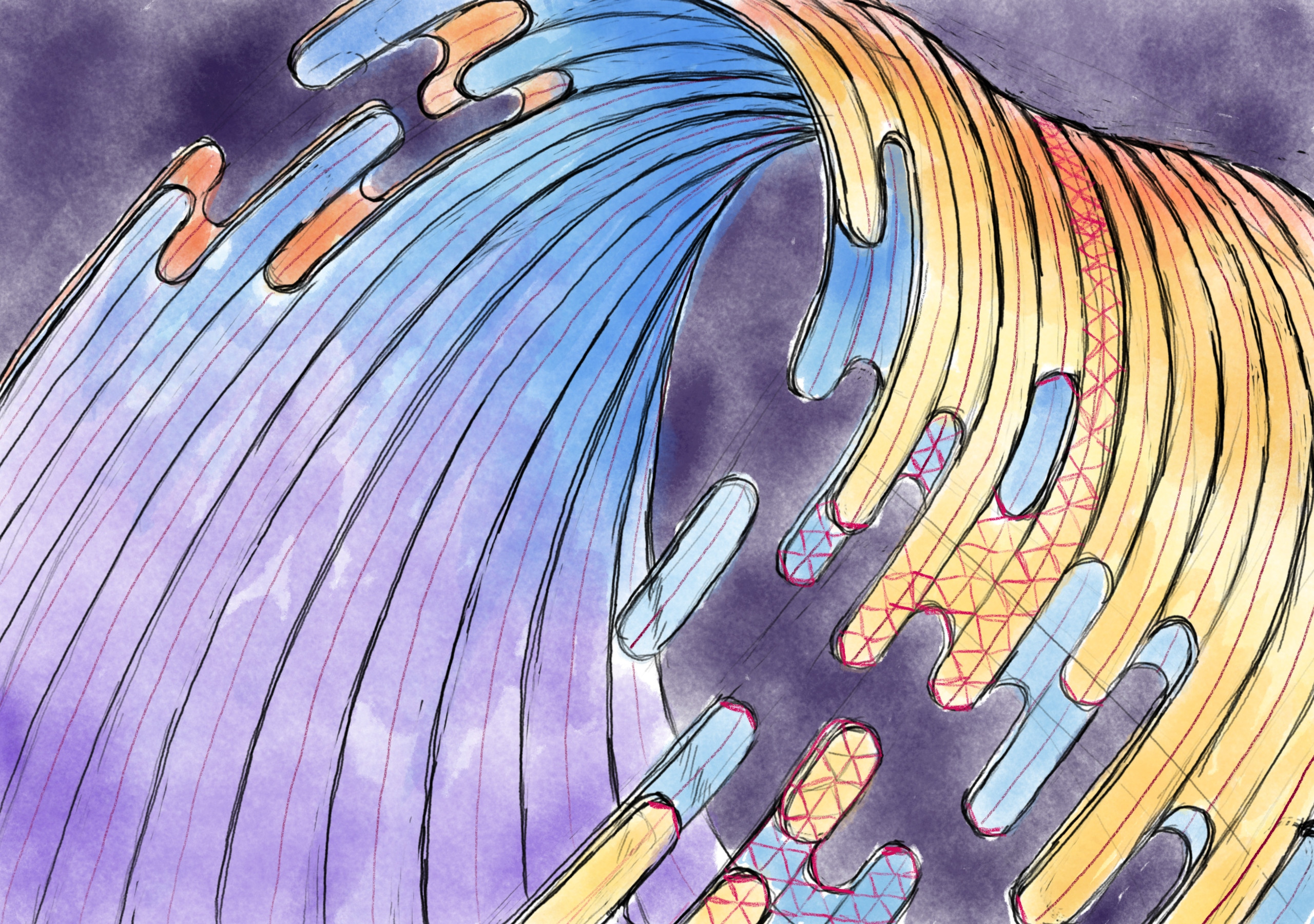
For everyone who didn’t have a chance to attend, in the last livestream we started with the above sketch done in Krita and experimented with a new method on-the-fly where we leaned into Inkscapes snapping features to create a 3D mesh by hand, with the plan to use the built-in “Restacking” tool to enable hand-drawn polygons with “perfect” edges. While the mesh method was a rousing success and testing the restack feature gave ideal results, near the end of the stream it was realized that watching me draw triangles for several hours was not a hip idea, so I decided to take the remainder of the more tedious work offline.

Which was a good thing, because I had to throw away hours worth of hand-drawn polygons. I was not a happy camper. There was a damper in the pamper. It was a stylistic cramper. Simply put I literally zigged when I should have zagged and half the polygons were misaligned because of it.
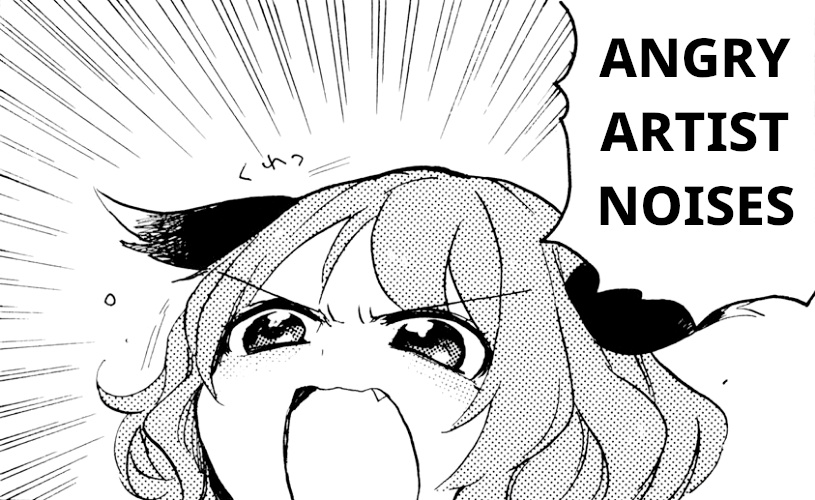
Not to worry though, because I had the chance to experiment a bit more with less certain ideas and while I’m still playing a bit, I’m even happier with the redone results. Almost like I had roughly 5 hours of practice…

In terms of livestreaming itself it went off without a hitch on a technical level, but the overall quality was pretty awful. I’m sorry for that, I didn’t realize how bad it was. I’ve been making improvements so the quality of future streams will be far better. Earnestly I wasn’t sure if I’d be doing it again so I didn’t put an overwhelming amount of effort into the initial setup. I fully expected to have large swaths of time without anyone watching, but while the quality of the feed was borderline unwatchable I saw far more activity than I anticipated, and the chat was more than excellent in making me want to continue doing streams. You all rock!

There’s still testing and adjustments to be made but it’ll definitely have much higher video quality this upcoming stream, hopefully have better audio quality, and there’s a 50/50 chance I’ll broadcast in (up to) 4K (if the latency is acceptable). I didn’t have hardware encoding set up, I think it’ll be waaaaay nicer for me not to be encoding 4K to 1080p video on my CPU while using a CPU-intensive drawing application. It’s almost like my video card is meant for video. Additionally, and while I make no guarantees, I’ll also be attempting to hook up screen mirroring with my Android drawing tablet so I can use both it and my desktop computer to complete the wallpaper using all the tools at my disposal on-air. While the mixing of vector and traditional art was debated in an older wallpaper, I’ll have you – yes, you! – to give live feedback.

Once again I want to thank everyone who made it (or wanted to make it) to the previous stream. It was a delightful experience and I hope to see you this Sunday!
Art Livestream (Mon Jan 3rd, 2022)

Hullo! On Monday January 3rd 5:00pm GMT (12:00pm EST) I’m going to try livestreaming work on a potential Plasma wallpaper, possibly some icon work, and other potential tangential work. I’ll also be answering questions, giving advice and tips for software like Krita and Inkscape, and if there’s time I may also show some terrible unreleased design work from the bowels of my storage drive. The stream will be of indeterminate length; at least a couple hours but it might run long.

The stream will be on Youtube for sure, please comment requesting another video service (click here) if Youtube/Google skeeves interested people out (assuming I can get them to work); here’s the Youtube link for those who may want to set a reminder.

New Icons, Iconoclast Pipeline

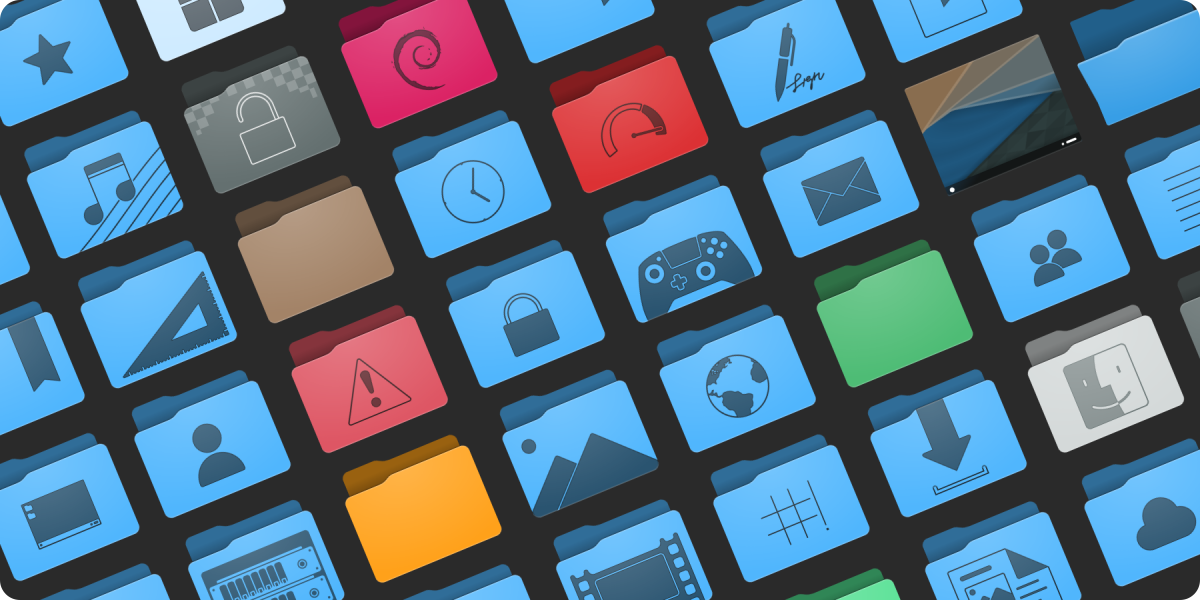
Over the month of November work has been started to refresh the full-colour icons in Breeze as an extension of the “Blue Ocean” initiative. With literally hundreds of hand-created vector icons in our roster we’ve had to develop new processes and are working on a more robust pipeline so this refresh can be done in a somewhat timely manner.

Preview of the new folders. Subject to change and refinement.

As was the method for Blue Ocean on the desktop widgets and design, the icons will be a gradual rollout over a few releases. We do have a strategy in place to ensure that this won’t be too jarring or inconsistent during the transition. The current plan is to update both all mimetypes and all places in time for the 5.24 release.

Like our current icons the new icons have adaptive capabilities. Beyond that some additional select icons such as the new desktop icon are also adaptive, and there are plans for other icons to also take advantage of this feature where it would not be obnoxious. Compared to existing icons the refreshed content will be softer, more detailed, and less flat. These icons are also prepared with future capabilities in mind, and as enhancements are made to KDE Frameworks these icons may expose new and interesting features.

Finally, we’re expanding the number of sizes the icons come in, so they look ideal at more zoom levels in your file browser. Currently colour places icons are offered in 32, 48, 64, and 96 pixel sizes, and mimetypes are offered in 32 and 64 pixel sizes. Refreshed icons in both places and mimetypes will be offered in 32, 48, 64, 96, 128, and 256 pixel sizes with no missing graphics. We already have all folders in all of the above sizes, and in under a month while also writing our software we have over doubled the number of folder icons in Breeze. We’re estimating we will more than triple in the number of mimetype icons.

To get this work done we’ve built new tools for the express purpose of making mass iconography far easier for even individual artists, so I’m very pleased to state that a new icon and SVG pipeline is underway and despite being unfinished is producing results. This Python-written pipeline is capable of adding guides, rulers, and setting up grids for existing icons, standardizing existing icon colours, assembling entirely new icons from templates and components, and aggressively optimizing icons. With this authors will be able to have a “golden copy” of their icon sets where they can focus purely on design, letting the software take care of cleaning up the documents and assembling the individual pieces. The folders in the above image were assembled by the pipeline, with no hand-tuning.

In terms of optimization some extreme cases have seen unoptimized Oxygen icons drop 75% or their filesize. In less ideal situations a few simple hand-optimized test icons I produced run through the pipeline saw 10-20% reductions in filesize. The new optimizer is not built on any existing tools, and is an entirely new thing. At similar settings the new optimizer is on par or slightly ahead of Inkscape in most tests, but at the same time it’s also more specialized and the output cannot be edited when certain stages are enabled. It’s also targeted towards TinySVG and should not be expected to work on full-fat images (though, accommodations have been made). There is still work to be done too, and in the future more optimization steps are on the table to further reduce output size.

Not only is this pipeline beneficial to KDE artists, but history has proven even the roughest artistic tools we produce are regularly used outside of Plasma development. With this in mind we plan to release our new tooling separate from Breeze as its own package/download after polishing it to a mirror shine. Currently nicknamed “Iconoclast”, we are specifically setting out for this tooling to be useful and ready for the wider community beyond KDE.

Iconoclast will include our new pipeline, a manual, tips and advice, and another entirely new icon set named “Bones”, which is already in progress. The pipeline itself is strongly configurable with ini files, so KDE-isms can be removed and it can be adapted to work for icons sets that may have different flows through configuration. The Bones icon set will be a minimal base which can either be built on top of, or used as a reference, and these icons will released in the public domain. Different projects with different licenses can just take it and use it, and it’s uses generic technologies not tied to KDE. The pipeline itself will be GPL, and I don’t have a specific timeline for when the kit will be released but once it’s solidified I’ll make an announcement; though it’s likely to be after the new year.

Does KDE.org look funny to you?

Our stalwart KDE homepage, which has been with us for several years, has, after serving us well, finally been retired.

The new KDE.org homepage, using the new theme “Aether”, is only the first step of a much longer journey to unify the disparate KDE websites. KDE.org and its surrounding network is made of many parts: forums, wikis, feed aggregates, custom solutions, etc; beyond the homepage each of these will need to be updated. It will be a long road, but the modernization is due.

This new design is still using direct and simple PHP, but the redesign effort will see us land this into a Drupal theme which will eventually be deployed for the wider KDE.org pages. We will still be using the other systems for our other non-static content, but Drupal will be used to replace any page using our current template engine “Capacity”.

I’d also like to give a special thanks to Harald Sitter for making this very quick and smooth transition possible.

If you spot any issues with the website, please report bugs to https://bugs.kde.org/describecomponents.cgi?product=www.kde.org, and I’ll watch the mailing list as well.

Plasma 5.9 Wallpaper “Canopee”

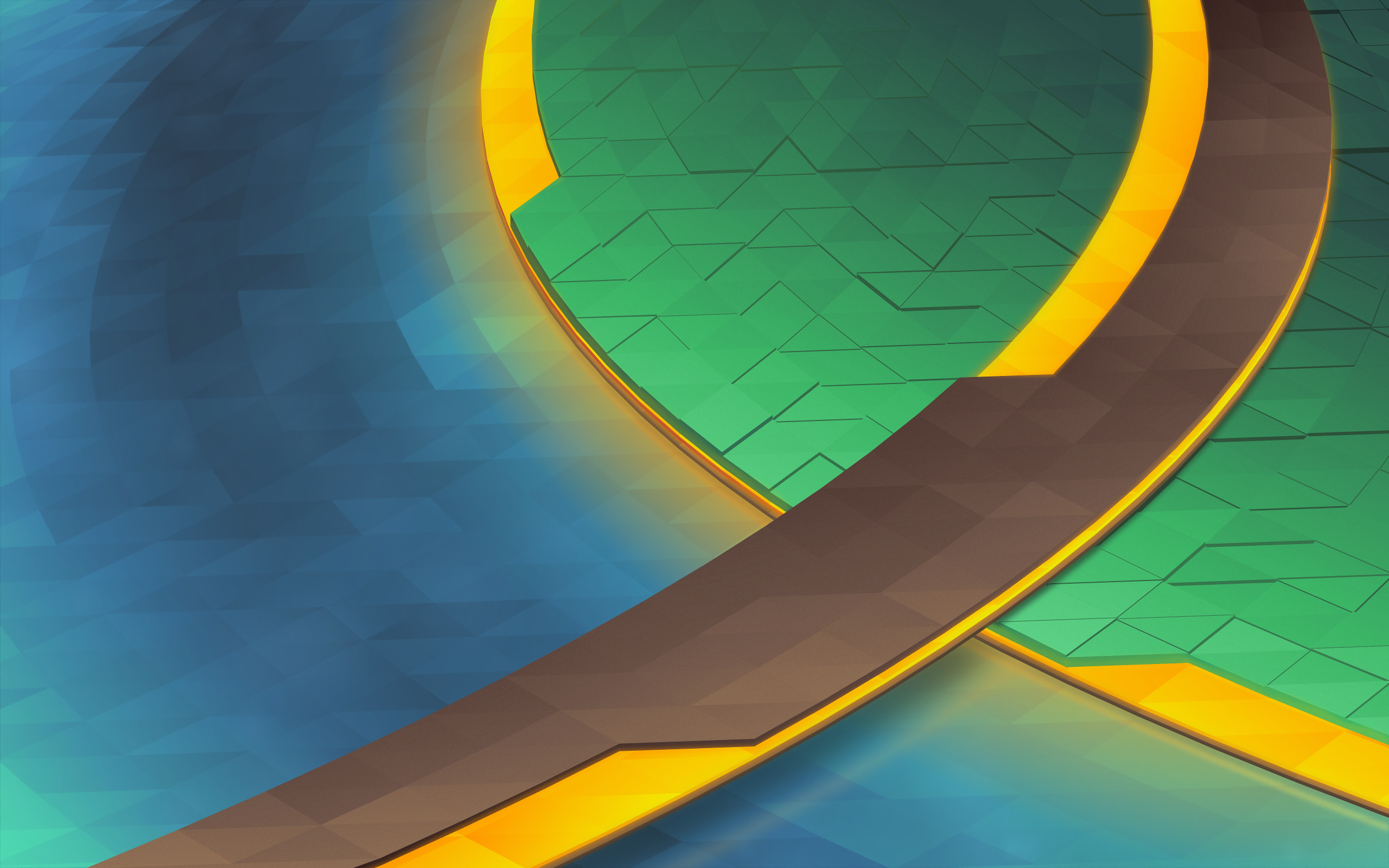
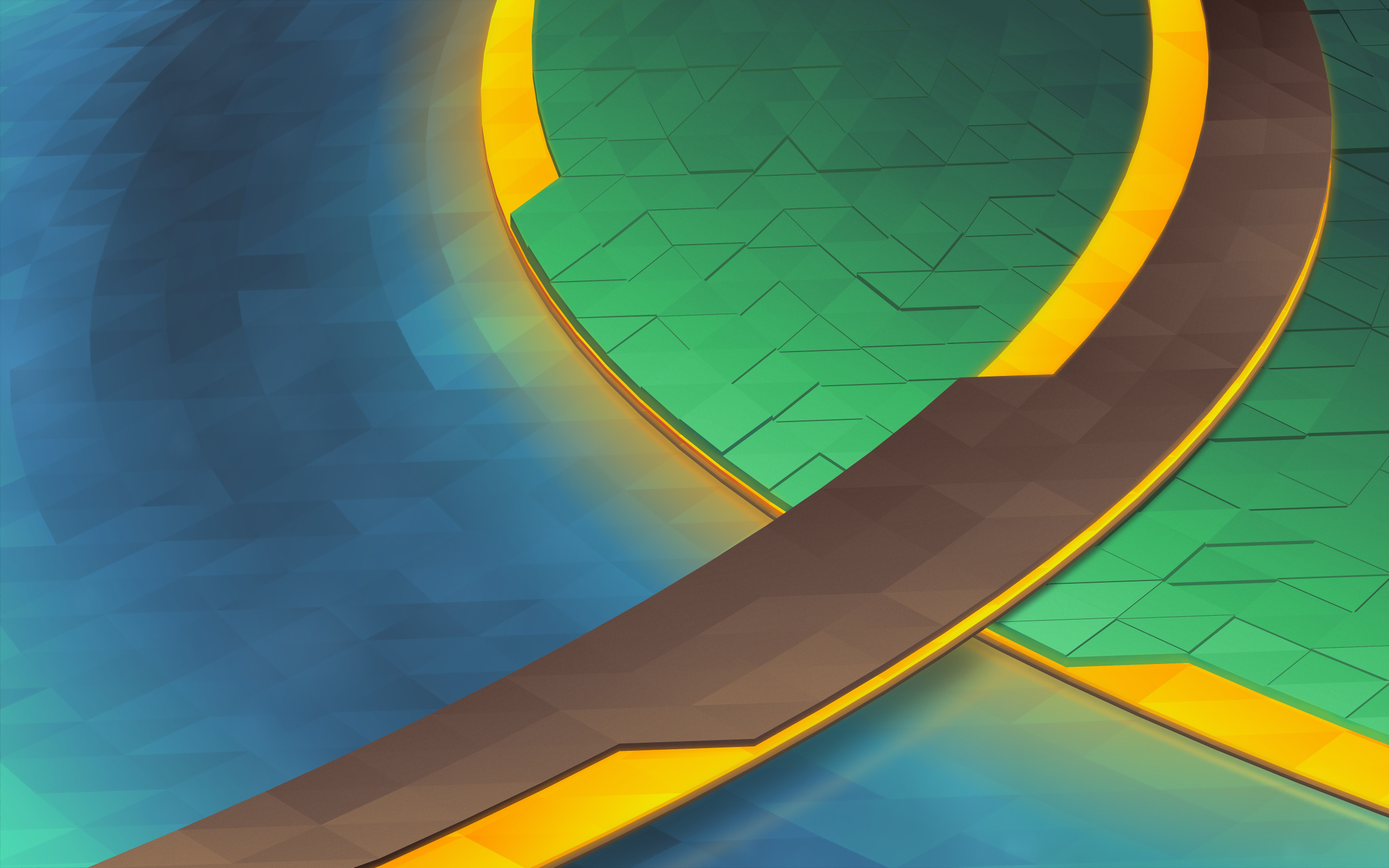
It’s that time of the release cycle! Plasma 5.9 is getting a new wallpaper, “Canopee”, French for canopy. Like the last wallpaper, Bismuth, we are again shipping with a 4K version.

canopee

(Download)

This wallpaper is aiming for the same effect as Bismuth from Plasma 5.8, but the colours have been turned down from “11”.

The development of this wallpaper was a little bit harrowing; I had several designs which were started and scrapped in rapid succession. It’s easy to imagine a few lines in pencil as looking good, but in reality only the initial vector work will tell you if it’ll work. Inkscape for some reason also evolved a rather massive memory leak, swelling to 5+ GB of RAM usage after only a few dozen gradient adjustments, sending my machine grinding to swap.

As I worked I kept snapshots of various steps, so I’ll cover how this wallpaper was put together:

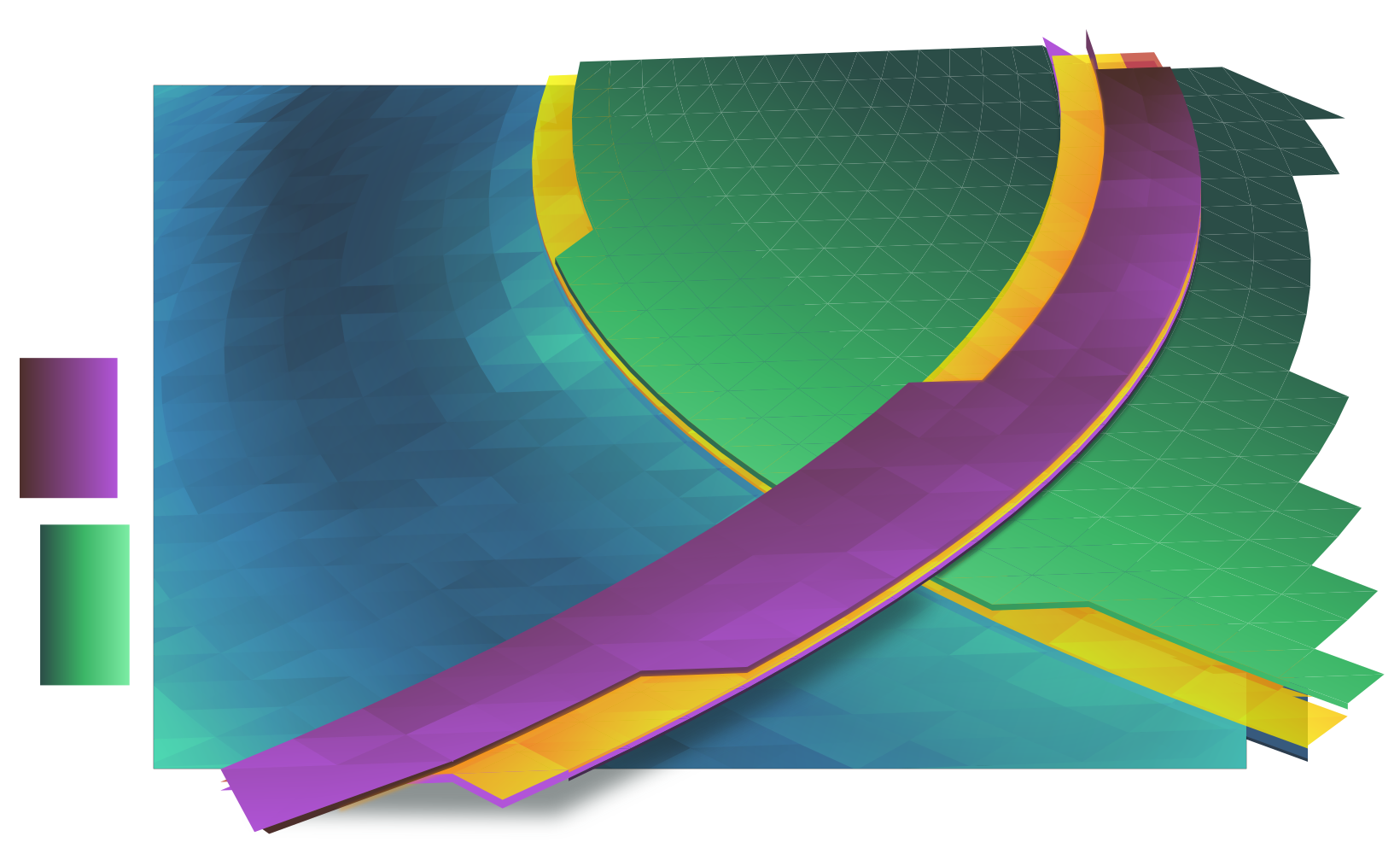
The first part of the making Canopee involves using Envelope or Perspective in Inkscape to set up the initial grid of ‘polygons’, trimming excess, then punching out the unique layers. Unlike Bismuth which had one layer of polygons at varied heights, Canopee had several complete layers of overlapping polygons.

step1.png

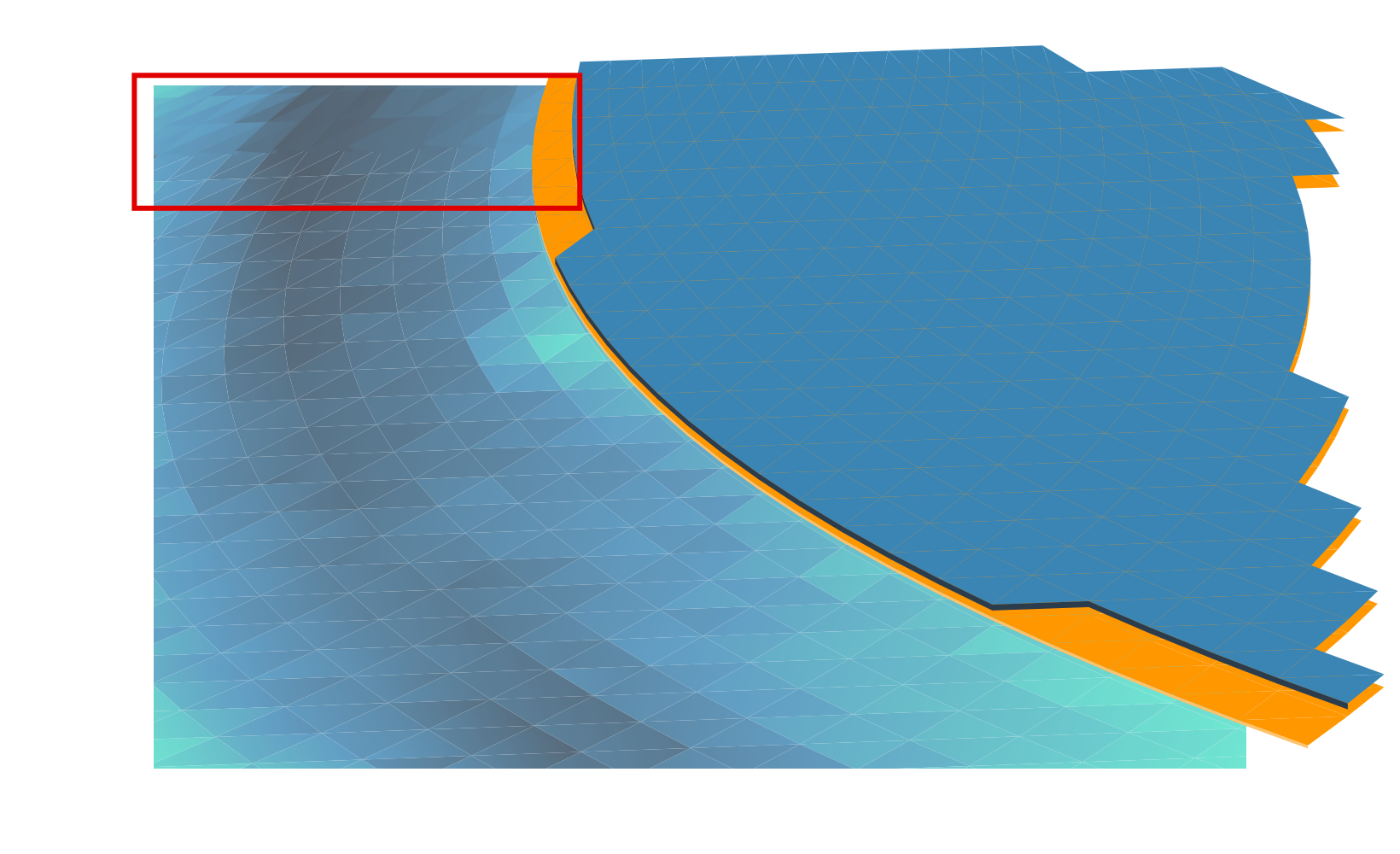
The next step is adding gradients and closing the seams. I need to add the gradient first otherwise I can’t see what I’m doing when I close the seams. If I don’t close the seams you get those white lines you may have seen in the early 5.2/5.3 wallpapers. Below is after I added the first set of gradients, and the first few rows of “closed seams”. Seams are closed by making every triangle overlap slightly, so I start from the back and manually adjust nodes for every ‘polygon’ in the wallpaper.

(Yes, manual. If you’ve been paying attention, each successive wallpaper has more polygons. I am, in fact, being slowly driven insane by this)

step2.png

After getting the water and track done, the next step is the island. You can see that welding the seams makes things more solid. I’ve also made the yellow layers semitransparent, later they’ll glow with a soft light which is accomplished by adding a blurry solid underneath the layers.

step3.png


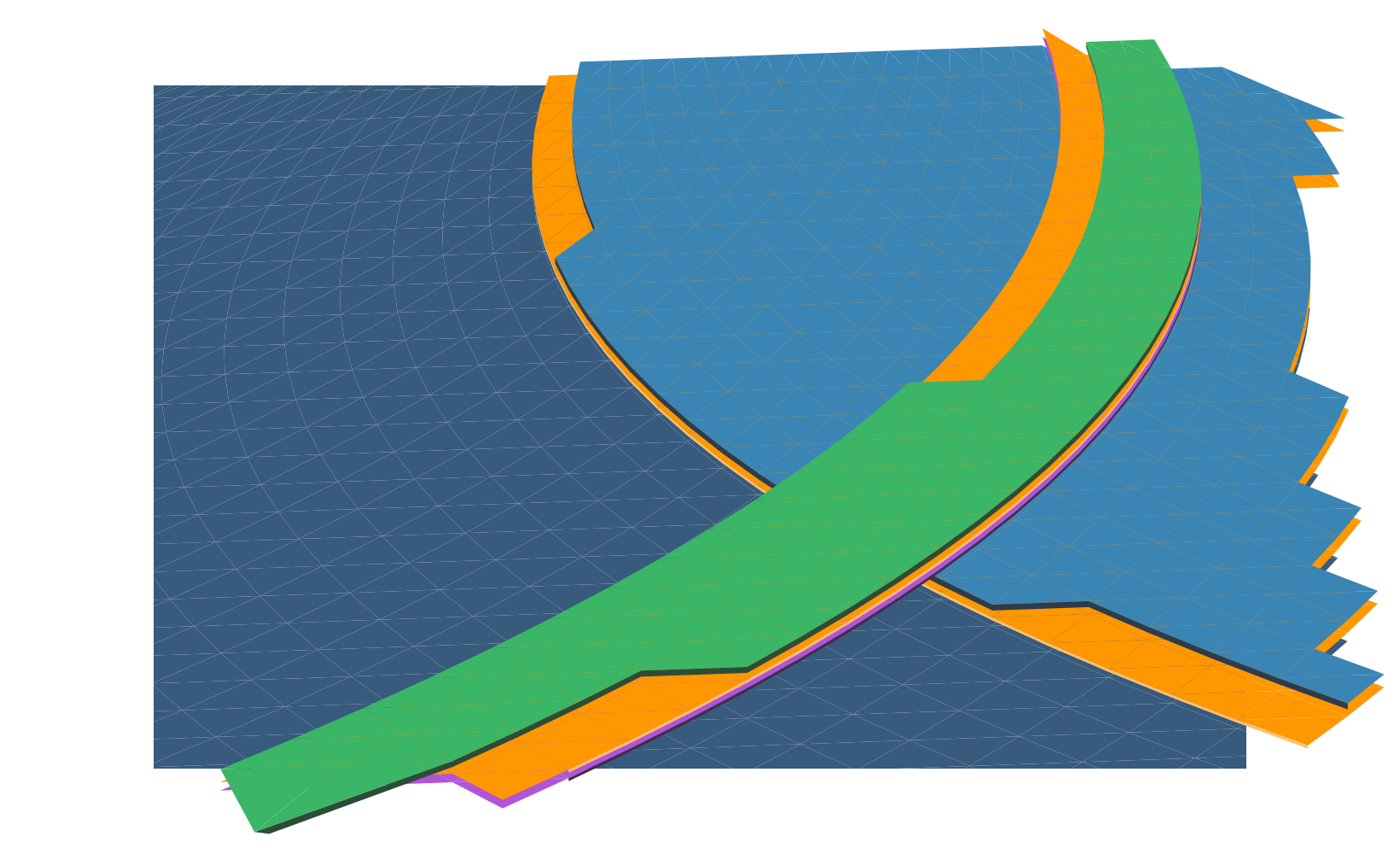
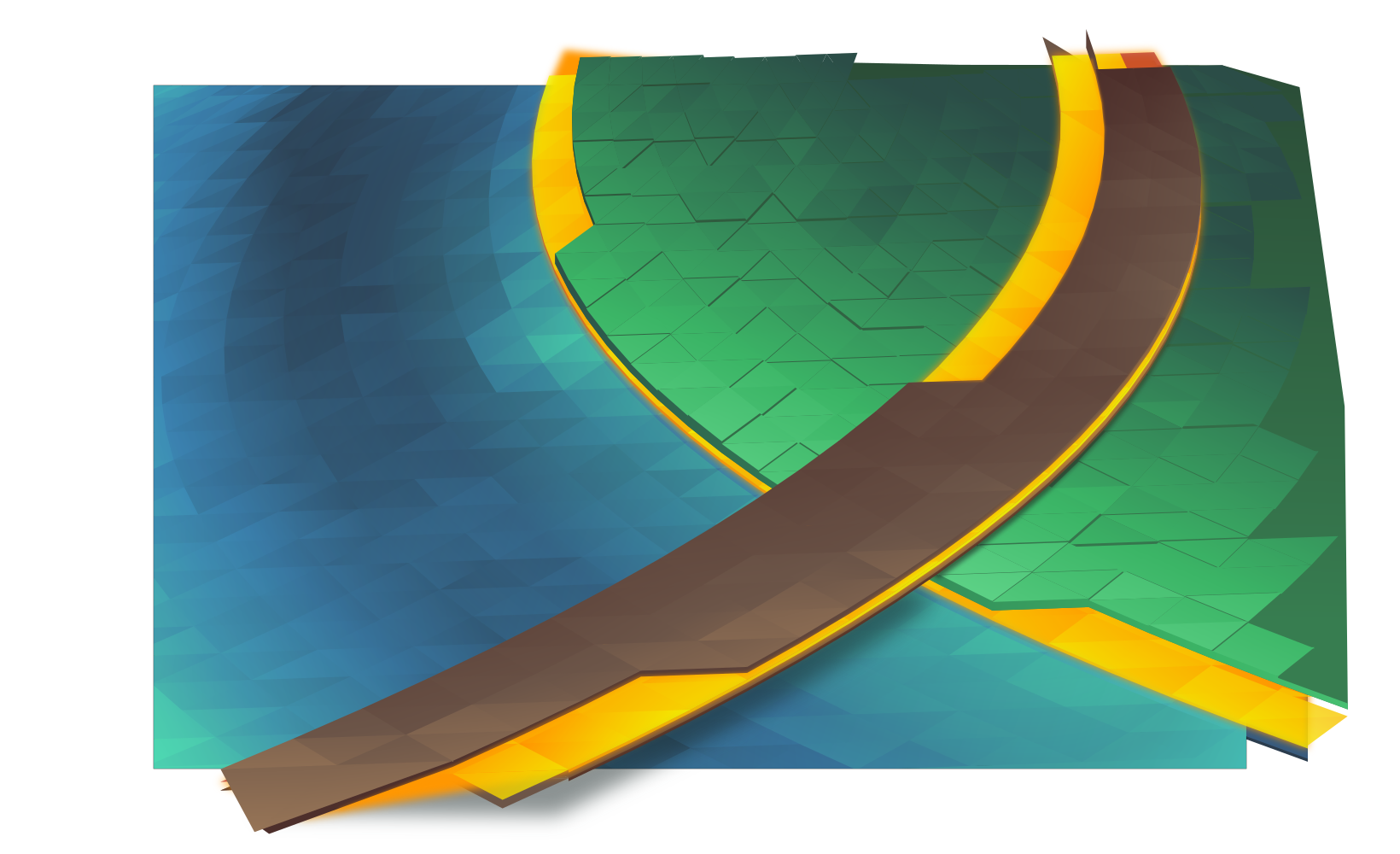
The “grass” will use vertical jittering to add texture and visual interest. This is actually one of the more time-consuming tasks as it requires huge amounts of manual correction and visual fixes. ‘Polygons’ are more often than not above and below each other when they shouldn’t be, and I have to manually add walls to make them look like columns. This is also the most error-prone part of the process, and some mistakes were caught as late as after adding post-processing in GIMP, meaning several fixes often have to be ‘backported’ to the master vector file. It was also at this point that I decided to dump purple and use exclusively ‘natural’ colours.

step4.png

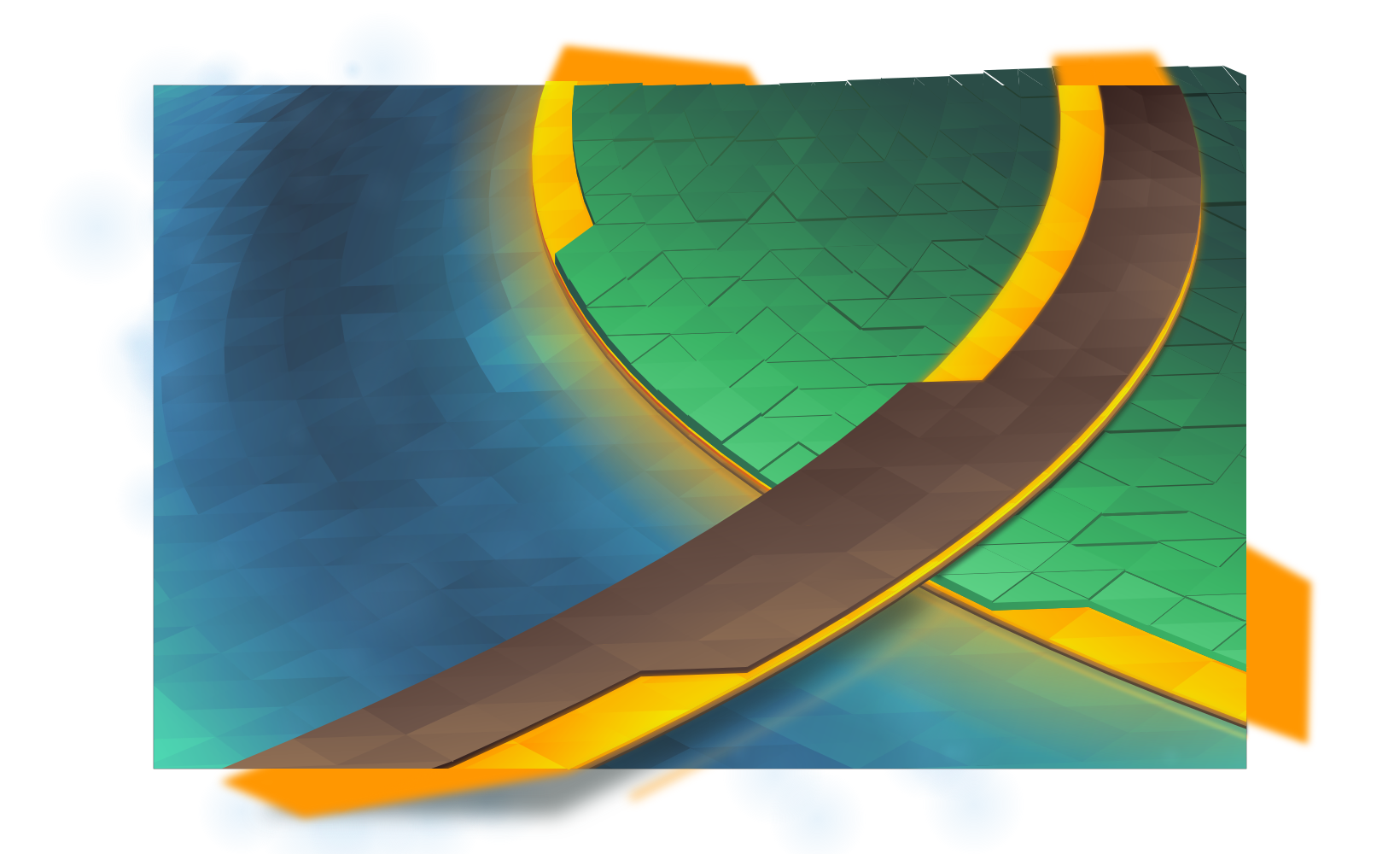
Finally, I add various fine touches, including reflections, more refined shadows, large glows, particles, etc. At this point everything is set in stone, so I create 3 more layers which will serve as masks in GIMP when I do post-processing. Each mask covers one area which I’ll want to apply a specific effect to; I try to use slur, pick, and thread filters on “liquids”, and noise filters with varying adjustments on other materials.

step5.png


masks.png

Finally I composite it all in GIMP at a 5120×3200 resolution. This wallpaper had a huge number of corrections in post, including one missed glow, a small run of polygons which were ‘flat’, and several mistakes in the jittered layer. After those corrections the final result is at the top of this post. This wallpaper will be available for Plasma 5.9 at 4K resolutions, but if you can’t wait to get it the top image links to the 2560×1600 version.