Strand PWA Runtime (Part 2.5)

Strand is a PWA runtime for running web applications in a more integrated manner for KDE Plasma.

Right now Strand has two parallel development tracks; an AI-driven prototyping track to test the feasibility of features, and a second human-driven track where I’m building the final product.

I’ll mostly cover the events of the AI track in this post, which I’ve been dogfooding as I slowly get the human track on-rails. The usual caveats of code quality and security are in full effect.

Performance & Structure

The first version of the runtime used one WebEngine per application process. Part of this was me receiving incorrect information from the AI. After understanding the WebEngine and WebEngineProfile structure more thoroughly, I decided a system of dynamically determining the host process would lead to better resource efficiency.

Now, instead of one process per app, when a webapp starts it generates a “Process hash” based on the configuration and flags being applied to WebEngine. It will then see if there’s a Strand process running with that hash, using it if available. This immediately lead to hundreds of megabytes in savings when running multiple instances, while still allowing apps to potentially use alternative settings if required.

One major pain point is hardware acceleration. I’m having significant of trouble getting it to work as it really requires the stars to align quite precisely. Right now there’s just no acceleration for reasons ranging from my specific hardware, to Wayland, to a witches brew of flags – and if anything is wrong there’s just no acceleration. I checked to see if I could run another KDE QtWebEngine-oriented app at full speed – Falkon – but it also suffered. Commentary online is underwhelming.
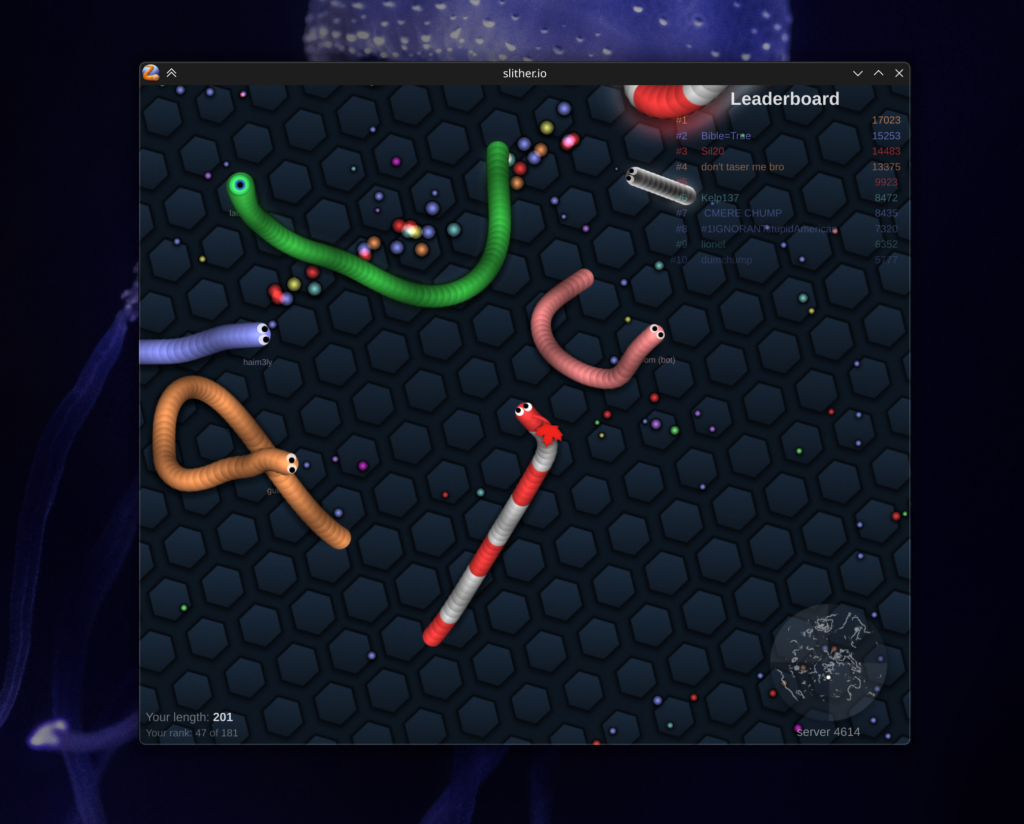
My new benchmark. I’ll score the hardware acceleration based on how long I get before the lag kills me. Right now it’s “202”.
New Features Tested

The most significant new feature is header integration, which is the culmination of 3 smaller features.
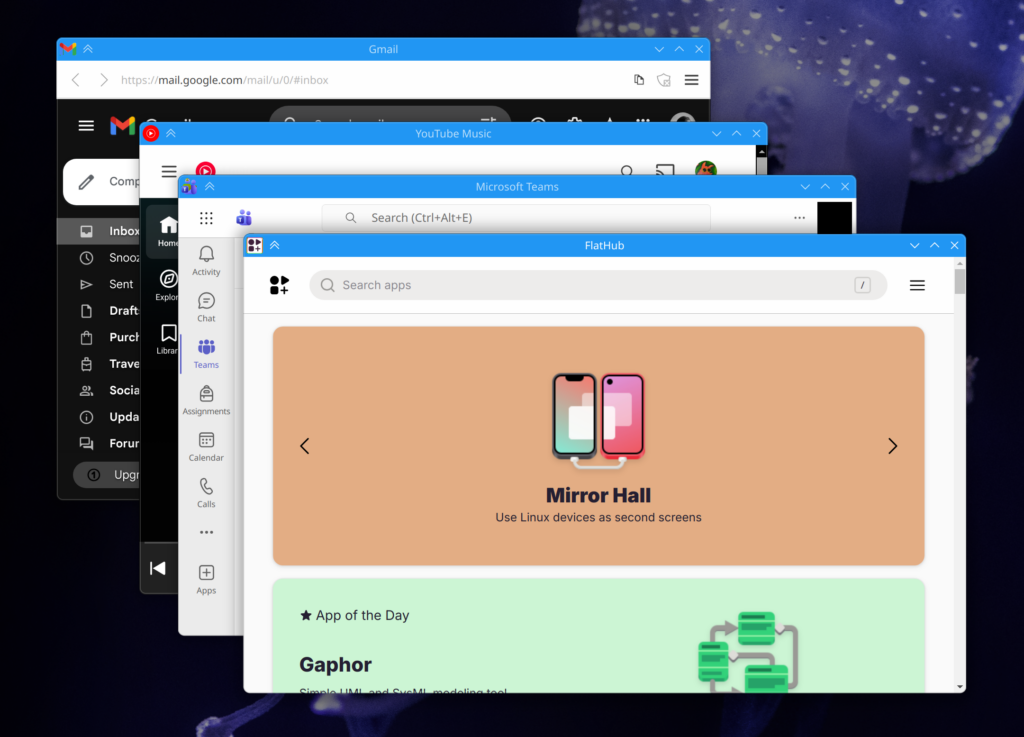
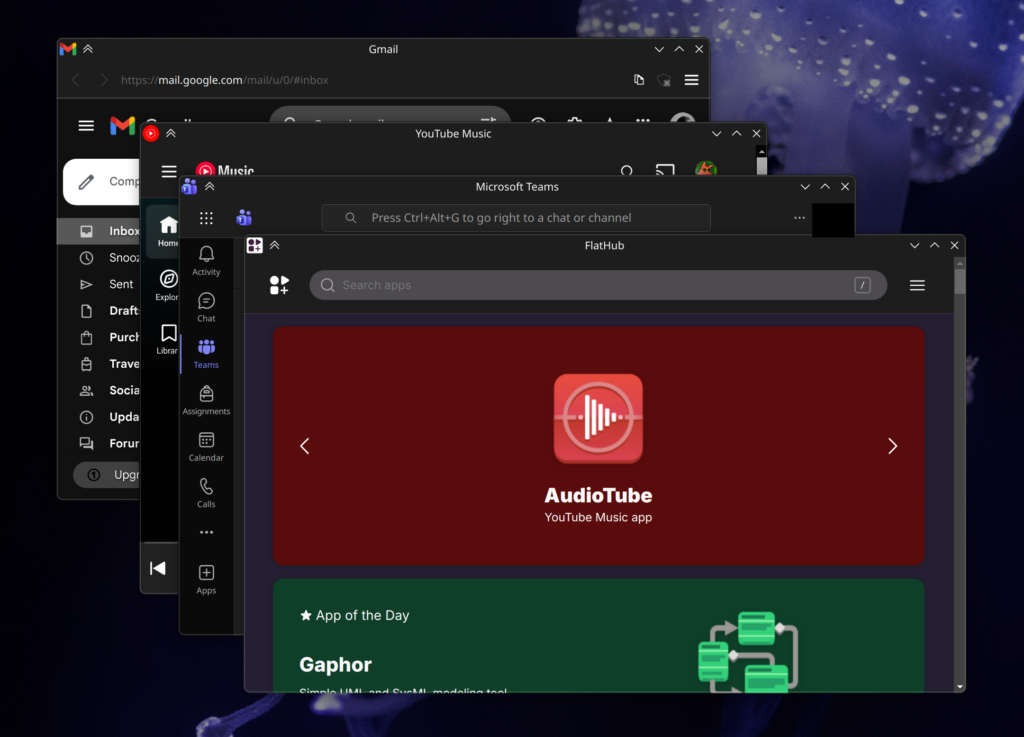
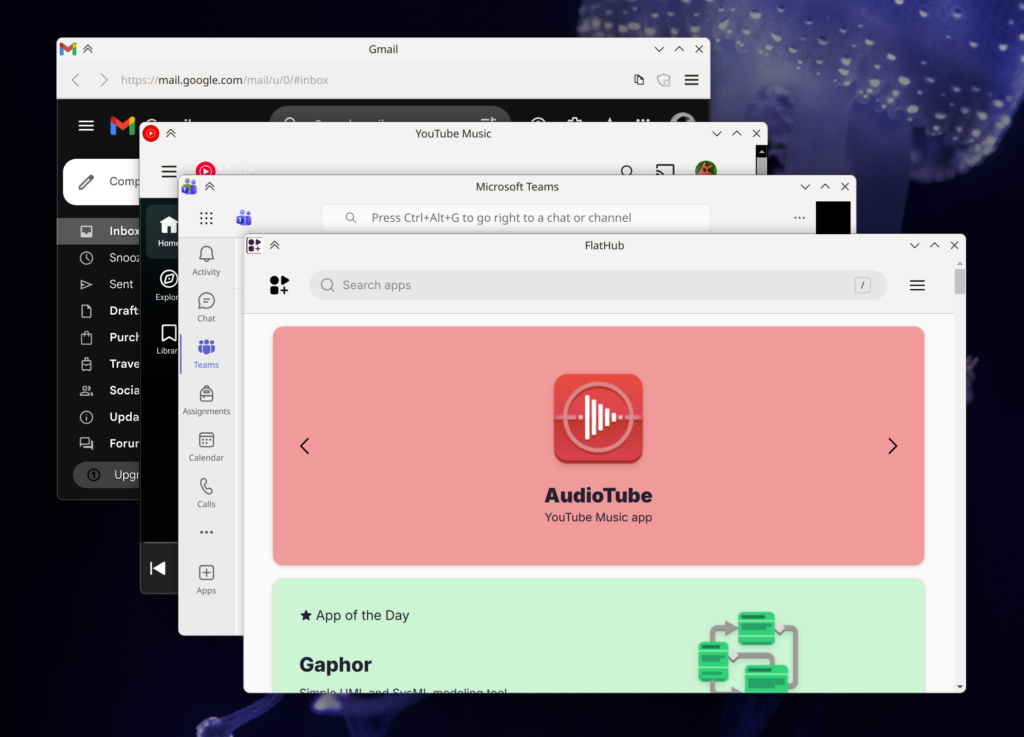
The most visually obvious is the addition of custom CSS with system color support. Strand injects CSS variables into applications with system colors, and when used by the custom CSS, can easily give web apps much more cohesive headers. Strand pays special attention to header-oriented colors, guaranteeing their availability along with the accent color. These apps are also smart enough to update their colors when changed on a system level. Of course, custom CSS can be disabled. The only caveat is that some apps still have the scrollbar peeking in, which could potentially be fixed case-by-case with CSS.

The next addition is the ability to list “Drag Region Selectors” in the manifest files. These are simple DOM selectors which trigger native window dragging when an element matches the selection criteria. This system accounts for interactive child elements, so things like buttons and fields in drag areas work as-expected.

Toolbars and menubars are no longer mandatory. In the manifest file you can specify “Safe Toolbar Removal” selectors paired with URLs. If the selector criteria is met and “Allow Smart Hiding of Toolbar” enabled for the app, Strand will auto-hide the toolbar. This works very well! The toolbar will re-appear if the app navigates away from a “Safe Situation”, allowing users to access browser-like navigation. A good example of this is an SSO flow; if SSO is occurring, the toolbar re-appears, and the user can navigate back to the app if the sign-in process is interrupted. Even then a user holding the alt key will re-show the toolbar, and if Strand blocked an outgoing link, the toolbar will resurface so the user may interact with that event.

These 3 features together make headers in web apps feel shockingly native at times. I’m particularly impressed by how integrated Teams feels. Placed between Dolphin and Kate it looks great, and the dragging behavior of the header areas are spot-on.
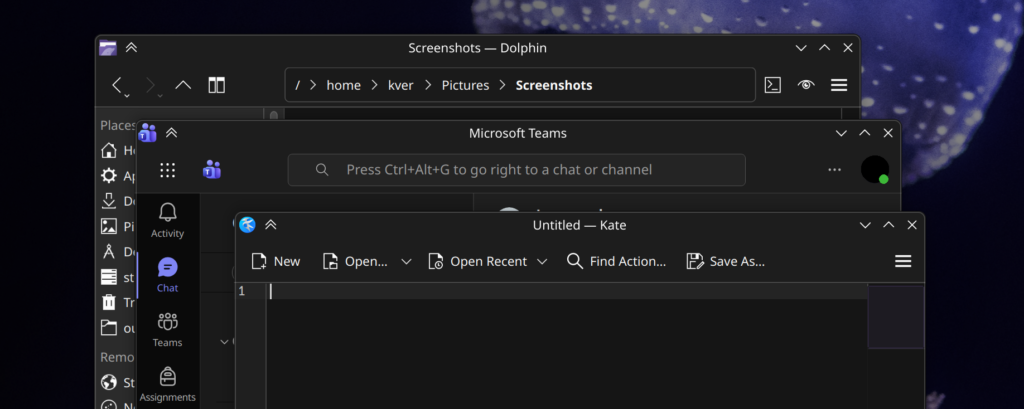
The header-centric features are also designed to degrade gracefully. We are connecting to ever-changing websites and I didn’t want to introduce injections libel to break entire applications. In the event a web app changes significantly, only the integrations should be lost, so at worst you’ll still have a functional web app. This is also one reason why I won’t be introducing app-specific Javascript injection.

Stand applications can now be added to menus via the welcome screen, and applications are appropriately categorized when added. The next step will be to have a complete installation flow.
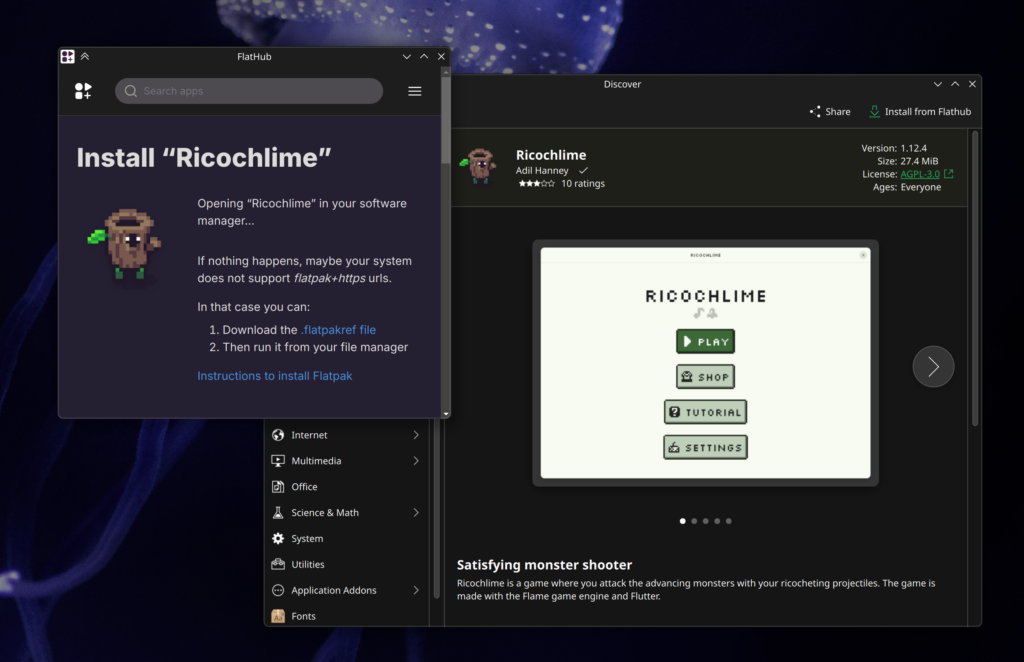
Strand doesn’t yet have an installation flow, but launching Discover from FlatHub worked as expected.
Conclusion / Future / The Human Track

Right now the AI track is getting very, very close to what I’d like in terms of functionality and main-window presentation. As the AI churns overall code quality goes down, but it does continue to feed me methodologies which would have easily cost me weeks of research, letting me research on the actually important topics. It also continues to show me what’s possible in general, and when it starts to fail I know I’m probably moving in a bad direction.

Next steps for the AI track are likely going to be in the permissions system, and ensuring advanced functionality like streaming and various portals work. After that there will only be minor additions to the prototype software.

I’ll end with an update on the human track; progress is going intentionally slowly. I wanted to flesh out the process management in the AI track first before over-committing to what will ultimately be the final structure. The human track has the first steps of the startup sequence, and a much better organized set of utilities and data-management classes. I’m also re-assessing the use of Kirigami/QML for building the GUI, as it just leads to nicer interfaces and I do have some experience with it.

Anyway, that’s the updates so far!

If anyone knows the secrets of WebEngine + Wayland + Nvidia, I’d love to hear. I might assemble some memory benchmarks in the next week or two as well, too. There’s also a .deb package I can produce of the AI track; I wholly would NOT recommend installing it, but if people want to see where this idea is going, or even the AI slop source, I can put it up. But I’ll literally name it the “eatYourCat” deb and put it in the “shootYourDog” repo, and it will be with the express understanding that it’s not fit for use and will not be maintained.
PWAs Without the Browser?

It’s been an eon since I’ve had anything meaningful to talk about in the world of Open Source, so maybe it’s time to post about some nonsense I’ve been working on!

I have a love/hate relationship with progressive web apps. My job these days is in a corporate environment, and there are some things you can’t escape. Outlook. Teams. Other web-based applications. Be it Chrome or Firefox, there’s just so many things PWAs don’t do well. No persistent system tray icons. No break-away from the browser. Odd menu entries. What’s worse is that the PWA standard itself is limited in a lot of ways, and it really does feel like an afterthought by every browser vendor. Also, you can’t exactly get PWAs easily listed in app stores.

There’s Linux-y solutions. Electron-based apps. But those are an incredible time investment to maintain, and there’s about a dozen apps they don’t cover.

My C++ fu has atrophied, having been replaced with Java as my daily working language, and I haven’t kept up with KDE frameworks and Qt… But this itch was driving me crazy, and I just wanted to see some proof-of-concept that the entire situation could be just a little bit better!

Here’s the moronic idea: We split the difference between browser-based PWAs and hyper-tailored Electron apps. We just have… A pure “PWA Browser.”

So, this weekend I decided to give this “Vibe Coding” thing a try, see if this idea is viable. After hacking with Claude over the weekend, I did manage to get some decent results… So, see for yourself!

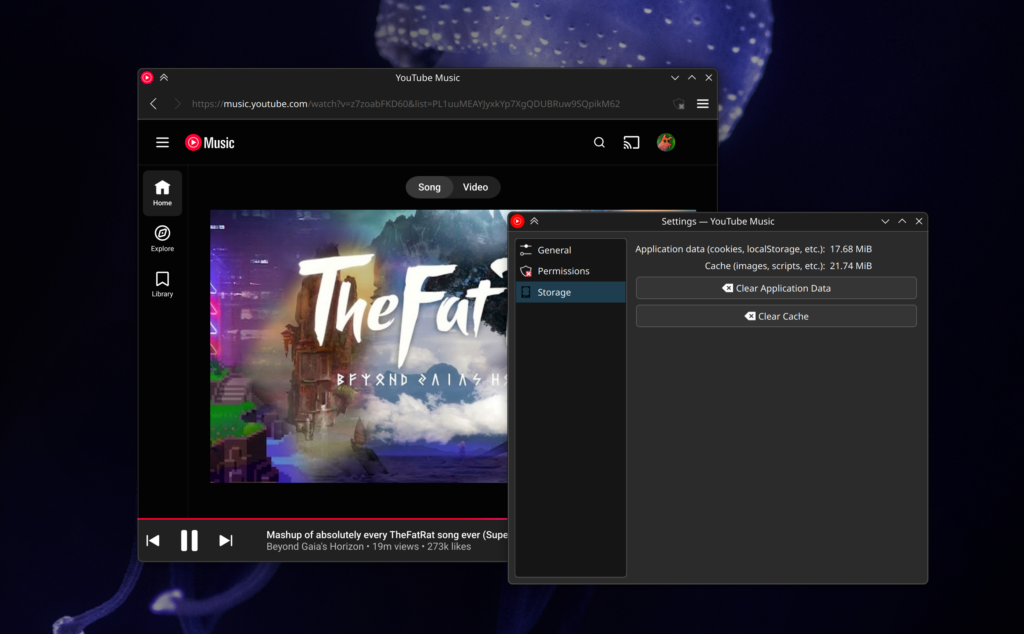
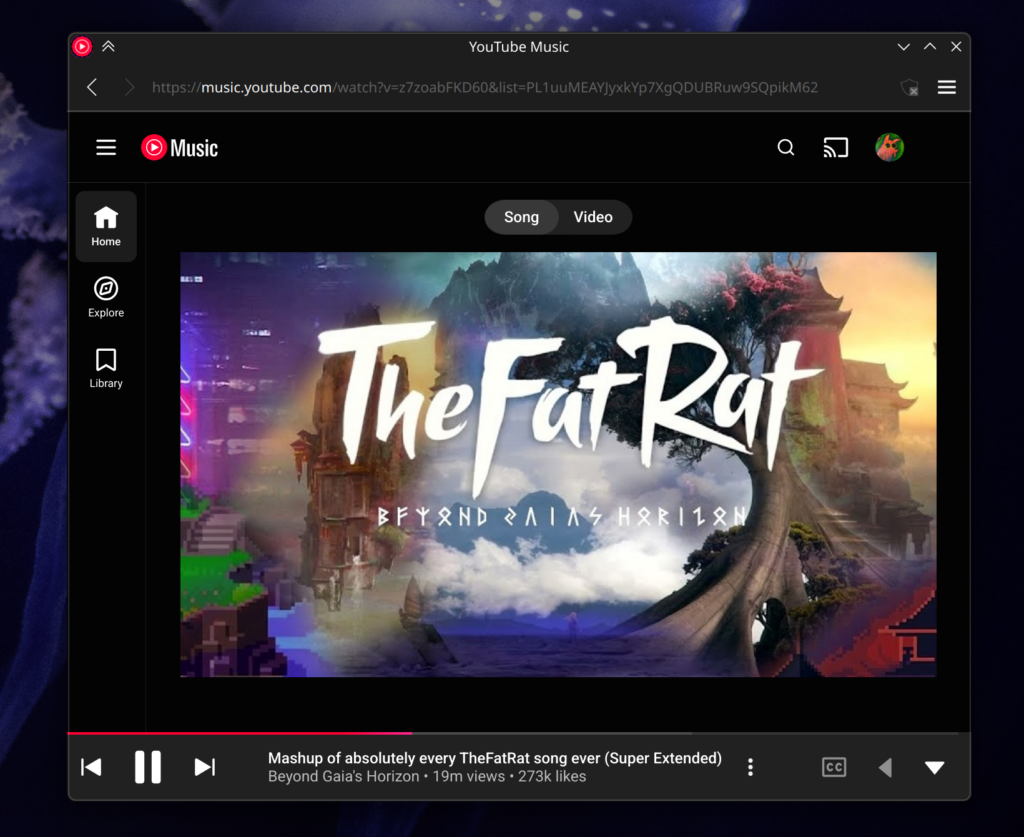
YouTube Music running as a PWA outside of a browser, no Electron wrapper.

The result is something I’m calling “Strand Apps”, because if you can’t have the whole web, maybe you can have a Strand of it.

Everything needs an icon.

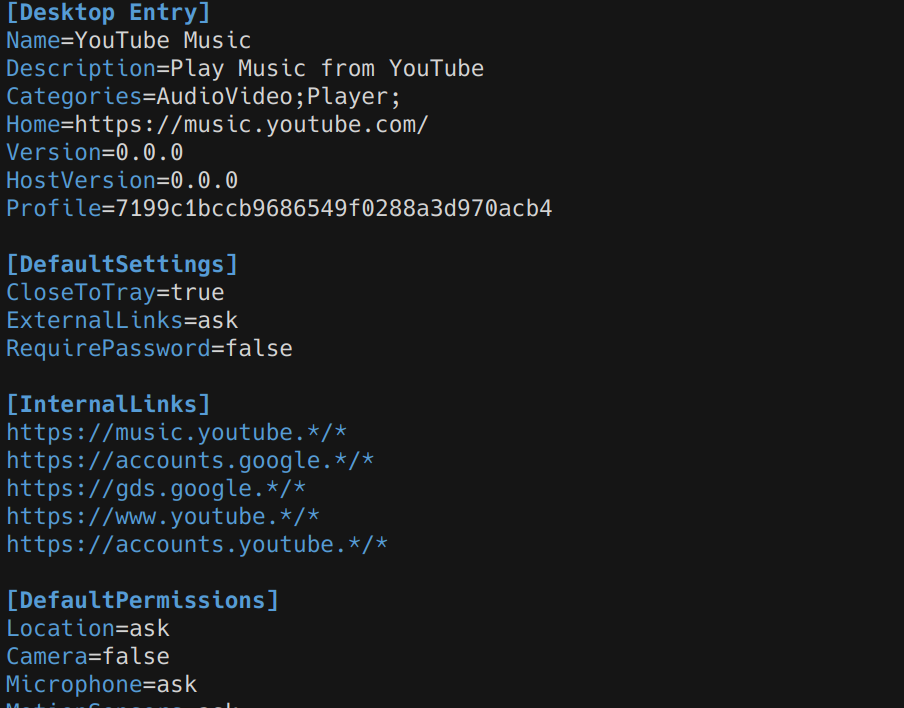
How does it work? “Strand Apps” are basically just .desktop files that live in your .local/share/strand-apps folder. These simple manifests gives you the basics like name, description, home location, a few safe links the app should trust, default permissions, and a couple behaviors… Like so!

Don’t worry, the wildcards are built to be safe, but ownership of code is still key; Claude was ready to let wildcards resolve into vulnerable domain patterns.

Ideally we simply define what would be “natural” for the application in a configuration file, and let the host provide exactly that. Would the app be persistent in the background? Sure. Turn on the tray icon. Does it need a toolbar? If not, turn it off. We get that “Near native” behavior, but without forcing people to maintain an entire electron container. Once we have that configuration then anyone with that config gets a top-tier experience.

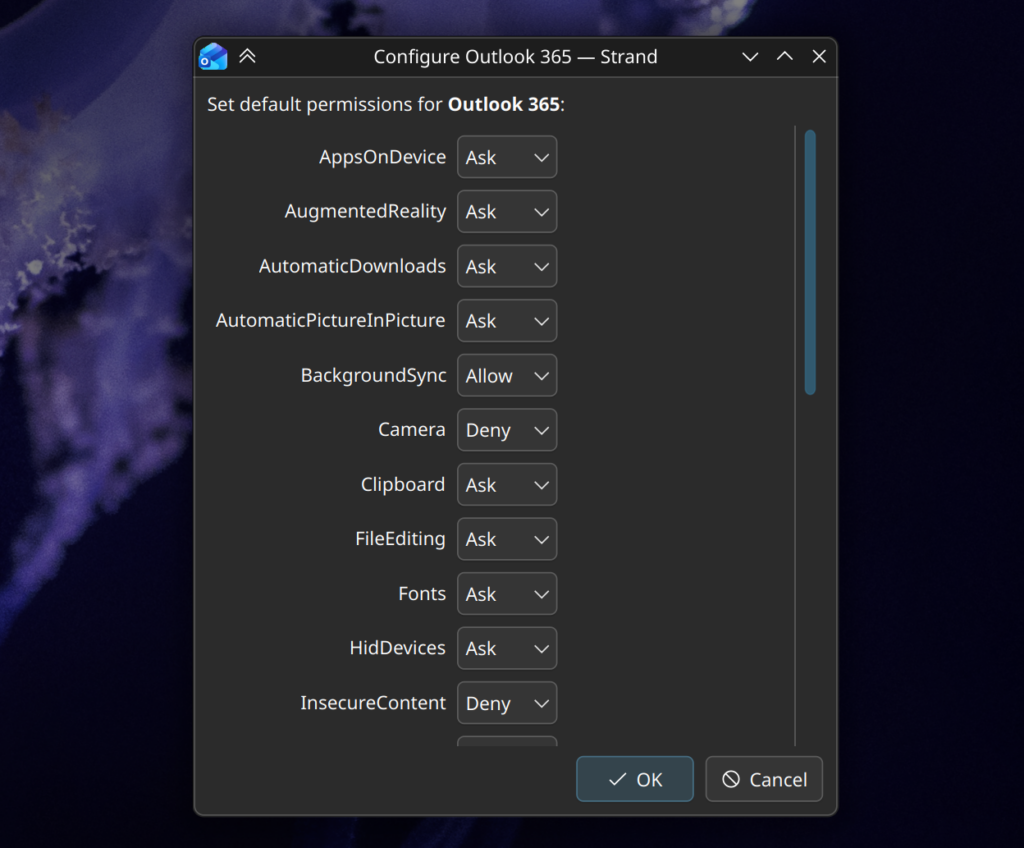
The first time you launch a strand, you’ll get onboarded for that app. Pictures below is the Outlook 365 Strand…

It’s not pretty, but for now it lets you see what the app wants, and you can choose what you give it. There’s a lot to do with this to improve the onboarding experience, but it’s a start. Before I even get into it – no, basically none of these do anything. Don’t read too much into it, I just looked at what Chrome gives PWAs and ripped off that list.

Another thing on my todos is having it create launcher .desktop files in the menu as an option in the onboarding window. I have the ingredients there, just haven’t put em’ together.

That’s not to say it’s all wall-dressing. The applications each run in their own little silos, unable to read or see what the others are doing, the host system separating their browser persistence completely. I can be signed into an alternate Google account for my Gmail strand, and my main account on my YouTube strand. Each application can also manage its cache and storage separately, kinda like Android apps.

Apps using this don’t share settings. If you need to tweak one strand app, you don’t need to commit everywhere. This was a major problem I had with traditional PWAs, because I explicitly needed to disable hardware acceleration on one app (can’t remember why), but everything followed the parent Chrome installation. I remember I had Chromium installed just for that one specific PWA.

One of the key motivations I had was something small – tray icons and background persistence. Question: How do you get a fully functional Outlook app on Linux? I’m sure someone has a solution, but I never found a satisfactory one myself. Ultimately, I had a webview widget in my system tray purely for the icon and persistence, and a Chrome PWA for an actual app window that wasn’t locked to the corner of my screen. I’d use both interchangeably, but I was always annoyed by the solution – and resource usage.

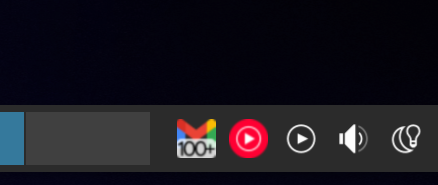
This fixes that problem. That manifest snippet you saw has a “CloseToTray” value. Tells the app that it’s goanna persist. It does. These are the sorts of integration features I’m focused on. Here’s Gmail showing its proper indicator count in the tray:

My vast number of unread emails, hanging out with my lovely music strand. Plasma has a fix for Electron coming because its tray icons could not be toggled independently. Luckily, this doesn’t have that issue.

Beyond the tray, I’ll be thinking about what other behavior settings an app might have, such as the config that removes the toolbar for “safe” apps, or for apps to specify if they’re single-window or multi-window by nature. What I really want is a solution where you can easily distribute apps that behave “as you expect”, and not like something with one foot in the browser.

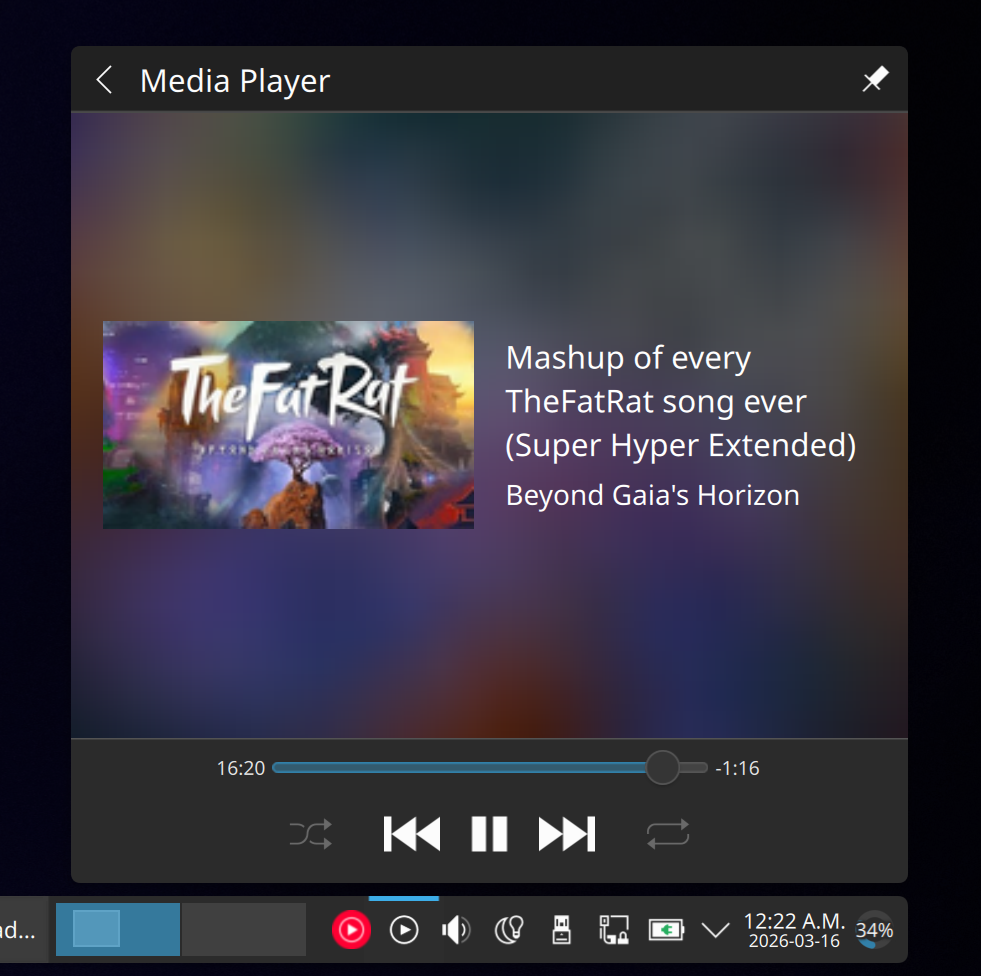
Speaking of the tray… MPRIS works. Interestingly, navigation was borked in Chrome proper but somehow it “just works” with the strand. I didn’t even mean for that to happen.

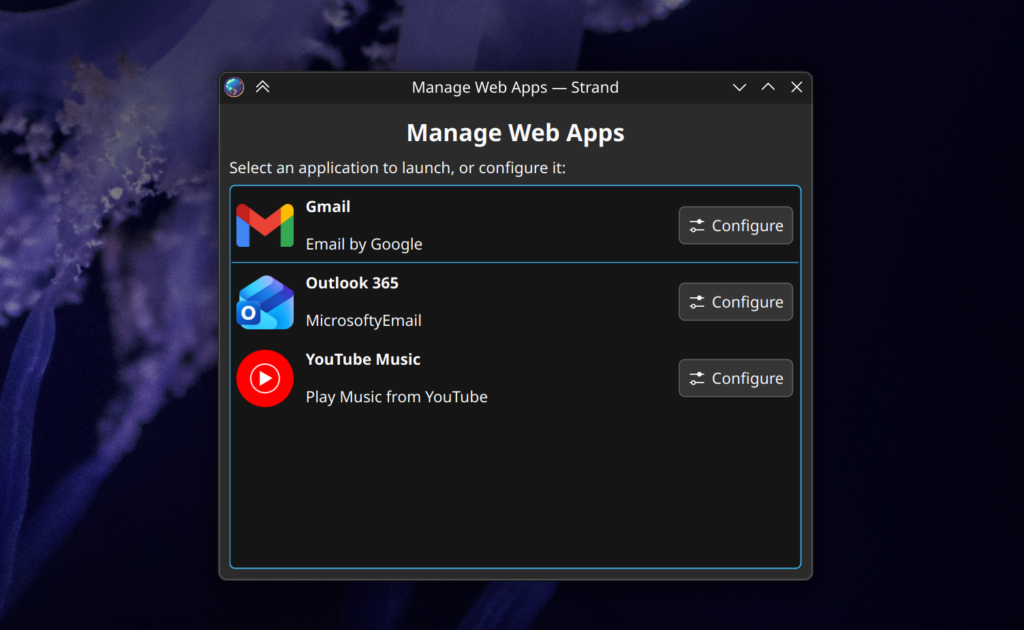
Right now I have 3 Strand Apps; Gmail, Outlook, and YouTube Music. If I launch Strand without specifying a profile, it’s kind enough to give me a basic list of my installed apps. It also lets you launch the config for them before running, so if you break a web application profile you can recover. E.g. something has freaky WebGL that crashes the renderer.

This needs serious visual TLC.

The code is QT/KDE Frameworks. I didn’t wind up using Kirigami, ideally these apps won’t have much interface to them anyway, and I also wanted to use the fastest path from launch-to-application.

So… Perfect, right!?! NOTHING wrong with this setup? Push it up tomorrow?

This is where I get real about AI. Claude is pretty good, but it’s still an amateur chef in a professional kitchen. Even by my substandard C++ skills it’s apparent. At best I’d describe this work as wonderful scaffolding, but it’s still in need of a serious audit. I caught no less than 3 significant security risks it tried to give me, and it needs serious organization at minimum. Progress-wise none of the permissions are hooked up, and I want to dive into the PWA spec “proper” because I basically ignored it, and it might be able to streamline things. There’s also a lot of UX work to be done.

Beyond even that, there’s also the core design. The .desktop manifest format I designed is built around the concept that someone will make a bespoke configuration file for every app worth having. This has the strength that a properly configured strand will be a stellar out-of-box experience, and with YouTube Music as my dog food it almost feels nicer than the Electron version… But how do we distribute these weird files? Does someone even want to distribute them? Is my silly little experiment giving people reading this headaches because infrastructure and distribution is always the bigger problem? Who makes them? Is my flagrant disregard of the .desktop file spec going to cause problems? Should I brace myself for the lynching that using AI has earned me? No matter what, the one thing I know is that, somehow, these can be distributed.

This is something I’m going to futz with for a while. I figure I’ll do a serious code review next weekend, maybe re-org it, then get it into a git repo somewhere when I’m satisfied it won’t eat anyone’s cat.

Plasma 5.24 Wallpaper: “Wavy McWallpaperface”

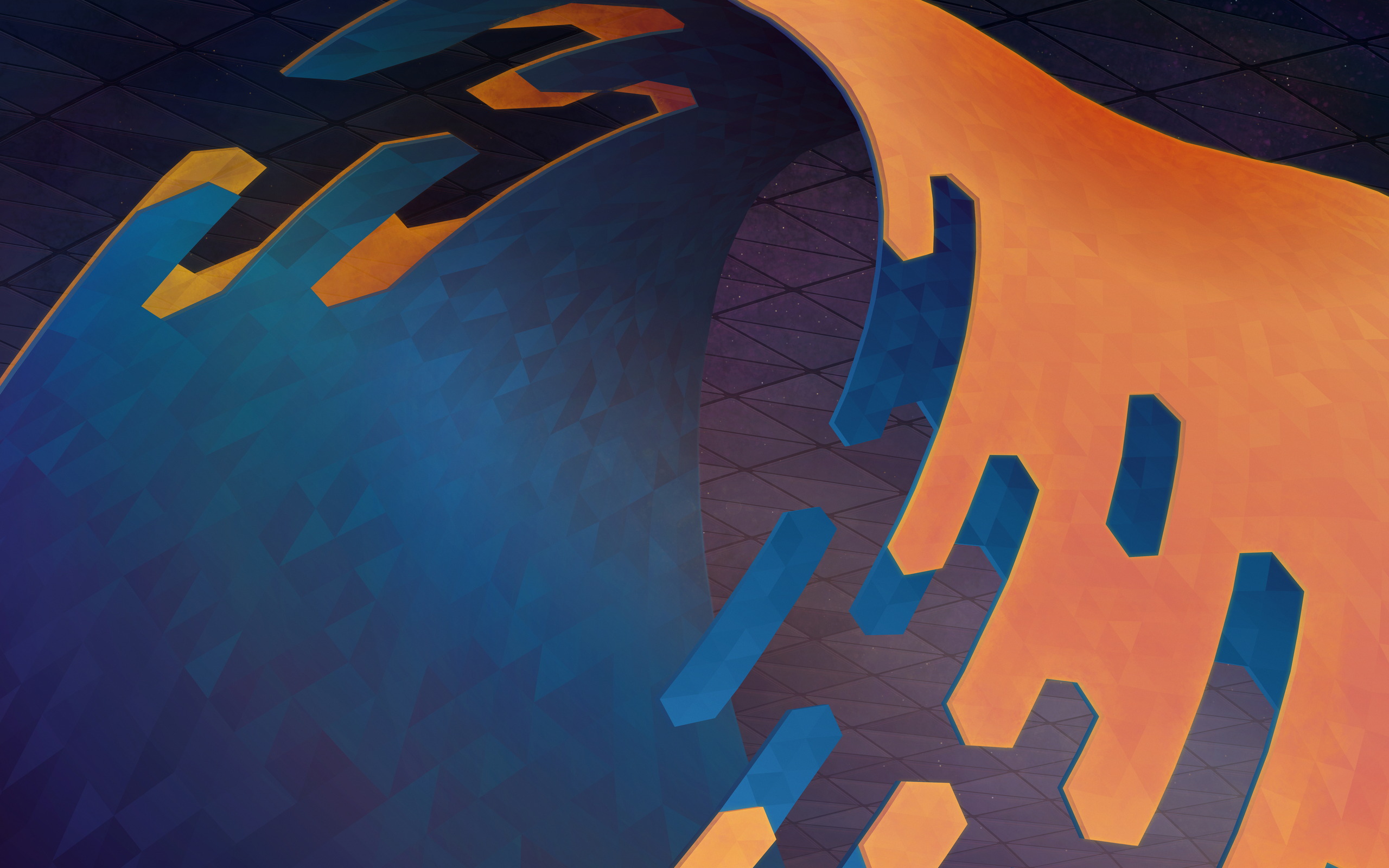
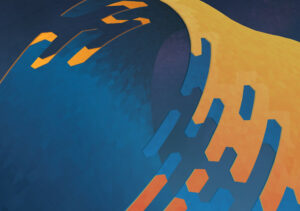
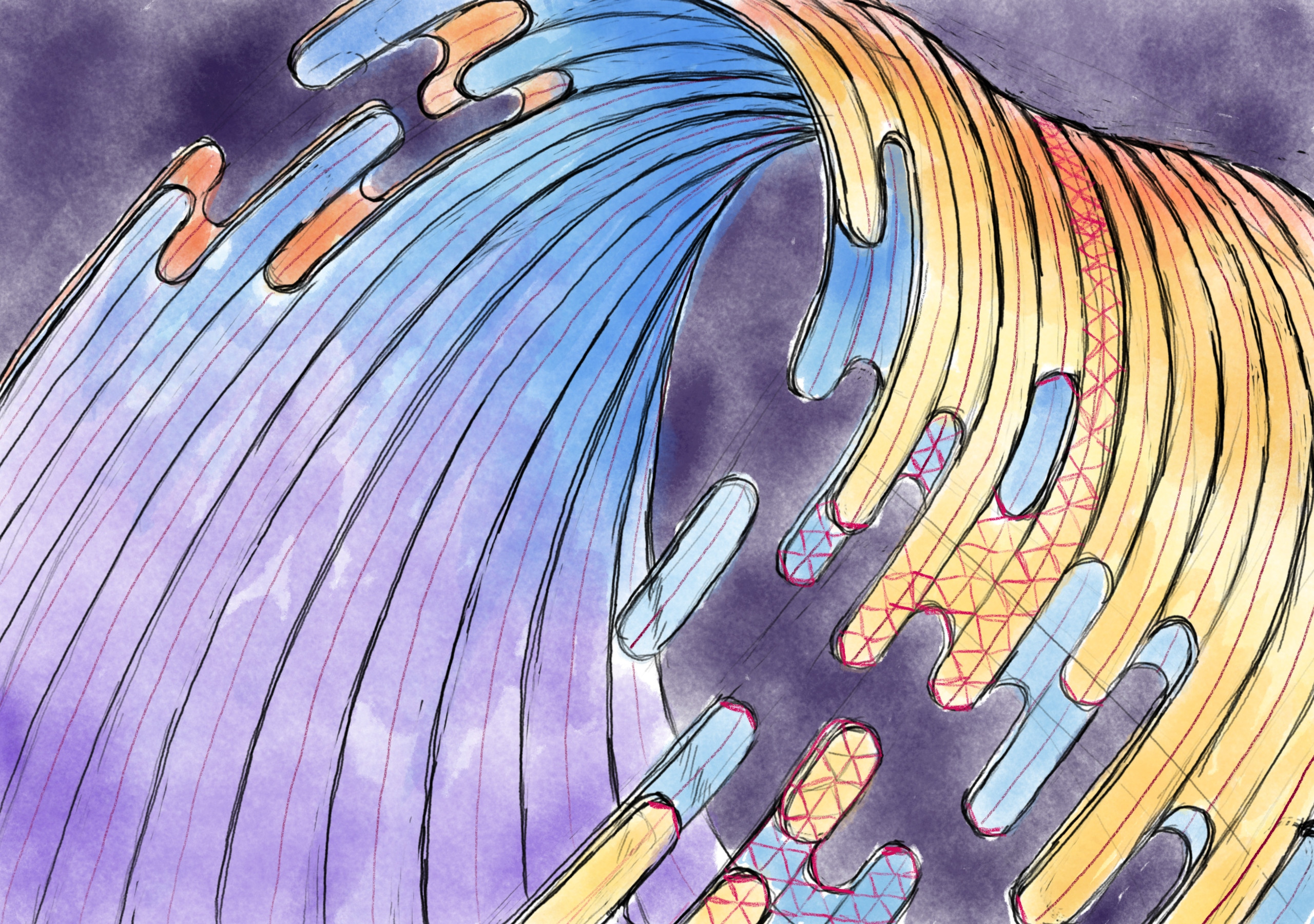
After two tremendously fun livestreams the Plasma 5.24 wallpaper is all wrapped up. With this particular image we had a lot of fun using new techniques to create this wallpaper, and the entire process was a fun adventure. To download the wallpaper it’s available on OpenDesktop and GetHowNewStuff if you’re a Plasma user.

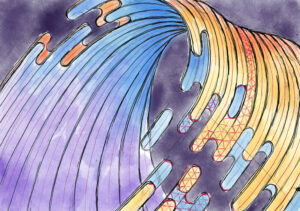
The wallpaper was first sketched in the Krita painting application. Up until this point wallpapers I authored used a fairly inflexible technique of creating a polygon grid and manipulating it, but this new shape would require new techniques.

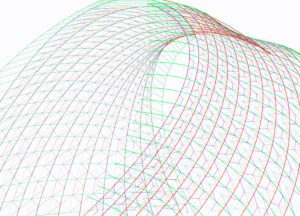
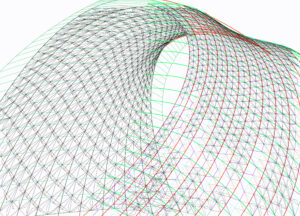
In Inkscape a wireframe was drawn using the line tool. This was done by drawing curved lines roughly matched over the sketch, applying successive wireframes one over another until we could rely on the snapping tools in Inkscape to place polygons.

This ultimately resulted in 2,221 hand-drawn polygons, layered in a way similar to reptile scales so gaps would not show through once fills were applied. People often question if these are done in Blender, but Inkscape is actually the software of the day with this being done entirely in 2D.

Fills were applied as linear gradients to the grouped polygons. At this point edges were also drawn in and I was getting ready to use the “Jitter Gradients” plugin I developed some years ago for the purpose of differentiating the individual polygons, but alas it wasn’t compatible with modern Inkscape! AAAAGH!

While I was busy having a panic attack live on-air Niccolò Veggero swept in and graciously updated the script to be compatible while I worked in other areas. What a lifesaver! With the Jitter Gradients plugin fixed up work began hopping between Krita and Inkscape, colours starting roughly landing, and we quickly approached the end of the wallpaper work.

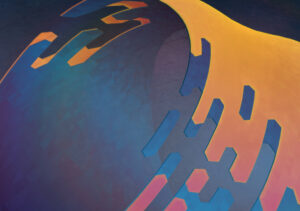
Layers layers layers ahoy! This was the state of the wallpaper at the end of the second livestream. While almost everything was in place, in practise it’s never a bad idea to walk away for a few hours to come back later with clear eyes.

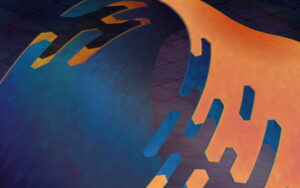
After coming back to the image several adjustments were made. A lot of the work I had done in Krita during the livestream was replaced, mostly because I realized I didn’t do the work in 8K, which we offer now. There was also a few steps in GIMP such as noise and some minor light-curve editing.

And so ended the work on the Plasma 5.24 wallpaper! After taking it up with the chat on the livestream it was quickly decided to be named “Wavy McWallpaperface”. The last steps are pretty standard; we run it through our cropping and sizing script which produces the highest quality versions for a variety of resolutions. If you noticed that the base image is slightly taller than “standard” it’s because it was, to accommodate cropping so it’s not just removing content for taller aspect ratios. The cropping script was also adjusted slightly for this wallpaper so it wouldn’t crop the top, which is the more interesting bit.

If you’re a crazy person and you wish to watch the wallpaper being created you can watch the process as it was streamed on Youtube:
Part 1: Wireframe & Polygon Creation
Part 2: Everything Else

To download the wallpaper once again it’s available on OpenDesktop at various resolutions, including the mobile version!

Wallpaper Livestream (Part 2, Sunday January 9th)

Update: The Livestream is moved to Monday January 10th, sorry for the inconvenience it may cause.

After a very successful livestream at the beginning of the week (with a heartfelt thank-you to everyone who popped in) it’s time to hunker down for one more afternoon to finish what we started! This Sunday (January 9th) I’ll once again be hosting a stream, where we’ll finish the wallpaper together. All the tedious manual work is well behind us, so this round should be mostly finery and polish in addition to the background, which is all fun and creative stuff. Click here for the Youtube link to the upcoming stream if you want to set a reminder for yourself. The livestream will run at least 2 hours, but if we’re all having fun I’ll run it for an additional 2 after a brief intermission.

For everyone who didn’t have a chance to attend, in the last livestream we started with the above sketch done in Krita and experimented with a new method on-the-fly where we leaned into Inkscapes snapping features to create a 3D mesh by hand, with the plan to use the built-in “Restacking” tool to enable hand-drawn polygons with “perfect” edges. While the mesh method was a rousing success and testing the restack feature gave ideal results, near the end of the stream it was realized that watching me draw triangles for several hours was not a hip idea, so I decided to take the remainder of the more tedious work offline.

Which was a good thing, because I had to throw away hours worth of hand-drawn polygons. I was not a happy camper. There was a damper in the pamper. It was a stylistic cramper. Simply put I literally zigged when I should have zagged and half the polygons were misaligned because of it.

Not to worry though, because I had the chance to experiment a bit more with less certain ideas and while I’m still playing a bit, I’m even happier with the redone results. Almost like I had roughly 5 hours of practice…

In terms of livestreaming itself it went off without a hitch on a technical level, but the overall quality was pretty awful. I’m sorry for that, I didn’t realize how bad it was. I’ve been making improvements so the quality of future streams will be far better. Earnestly I wasn’t sure if I’d be doing it again so I didn’t put an overwhelming amount of effort into the initial setup. I fully expected to have large swaths of time without anyone watching, but while the quality of the feed was borderline unwatchable I saw far more activity than I anticipated, and the chat was more than excellent in making me want to continue doing streams. You all rock!

There’s still testing and adjustments to be made but it’ll definitely have much higher video quality this upcoming stream, hopefully have better audio quality, and there’s a 50/50 chance I’ll broadcast in (up to) 4K (if the latency is acceptable). I didn’t have hardware encoding set up, I think it’ll be waaaaay nicer for me not to be encoding 4K to 1080p video on my CPU while using a CPU-intensive drawing application. It’s almost like my video card is meant for video. Additionally, and while I make no guarantees, I’ll also be attempting to hook up screen mirroring with my Android drawing tablet so I can use both it and my desktop computer to complete the wallpaper using all the tools at my disposal on-air. While the mixing of vector and traditional art was debated in an older wallpaper, I’ll have you – yes, you! – to give live feedback.

Once again I want to thank everyone who made it (or wanted to make it) to the previous stream. It was a delightful experience and I hope to see you this Sunday!

Art Livestream (Mon Jan 3rd, 2022)

Hullo! On Monday January 3rd 5:00pm GMT (12:00pm EST) I’m going to try livestreaming work on a potential Plasma wallpaper, possibly some icon work, and other potential tangential work. I’ll also be answering questions, giving advice and tips for software like Krita and Inkscape, and if there’s time I may also show some terrible unreleased design work from the bowels of my storage drive. The stream will be of indeterminate length; at least a couple hours but it might run long.

The stream will be on Youtube for sure, please comment requesting another video service (click here) if Youtube/Google skeeves interested people out (assuming I can get them to work); here’s the Youtube link for those who may want to set a reminder.